

DSX500
Discontinued Products
Overview
This product has been discontinued, check out our current digital microscopes >>
The DSX500 is a high-resolution upright motorized microscope with 13x zoom optics. The DSX500 ensures the superior results for any experience level with its superb operating simplicity and absolute performance reliability.
- New Way of Operating Simplicity
- Quickly Guided to the Best Possible Output
- 3D and Other Extended Data Acquisition
- Olympus Opto-digital for Reliability
- Superb Measuring Performance
Operating Simplicity that Guides Operators to Optimum Output, Regardless of their Experience
The DSX500 provides a new way to see. No need to look through eyepieces, everything you need is on the screen. Operate the instrument with touch panel or mouse. What's more, virtually anyone of any experience level can use this new system efficiently. The screen guides the operator through the process, from inspection to measurement to analysis to final report. Short, simple steps. Quick results.
Three User Modes Meet Operator Experience Levels and Job Demands
Select Tutorial, Operator or Advanced Mode to best match the experience of your operator and the job at hand. Operator Mode can be customized to speed up routine work. The operator's ID and password open the application, and automatically sets the scope to the operator's preferred mode, observation, analysis, and measurement settings.
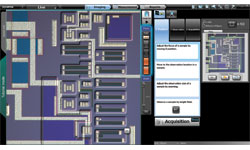 | Tutorial Mode Even first-time users can follow the suggestions of the system and it will create the image that meets their needs. |
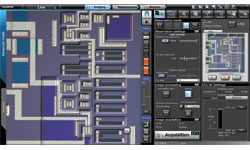 | Advanced Mode Provides the flexibility and power advanced users need while retaining an intuitive and simple to use interface. |
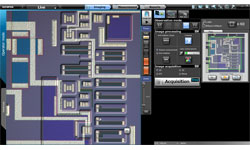 | Operator Mode This customizable mode is ideal for routine work as all non-essential menus can be eliminated. |
New Touch Screen User Interface
In the past, operators had to make complicated adjustments on their microscopes to achieve their desired results; with the DSX500, it's simple. Once the sample is in place, everything is controlled by touch screen, computer mouse or joystick - inspection position, focus, zoom, illumination, and choice of inspection methods. All controls are direct and easily performed. In addition, auto-focus and auto-gain ensure illumination and focus are correct every time. |
Macro Map: Always Know Where You Are
As you adjust the zoom magnification to a higher level the area you can see at one time is reduced. The system automatically records a full field of view image in a separate macro window. On this full field image your location on the sample is noted and updated as you move your sample. In addition, if you use the panorama function it will be displayed in the macro window to provide the same convenience on an even larger area.
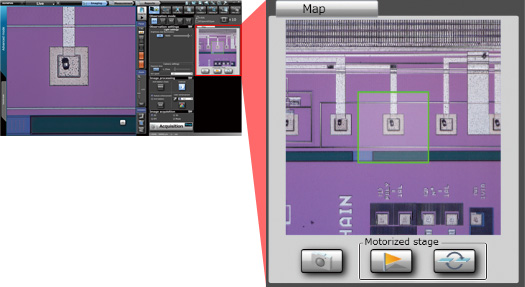 Macro map always shows where you are |
Optical Zoom Gets You Closer to Your Sample
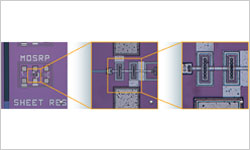 Zoom in on your sample | Change the magnification to fit your needs with continuously variable optical zoom. The DSX500 gives you an optical zoom up to 13x and a digital zoom all the way to 30x. A single optical lens can cover the typical magnification range of conventional optical microscopes. Plus, two lenses can be mounted at once for an even greater magnification range. When you switch lenses, DSX500 automatically adjusts magnification so the viewing area size is maintained. |
Operating Simplicity Lets Even an Inexperienced Operator Observe Samples They Couldn't Before
The leading-edge digital technology of this microscope lets you see more than any other microscope can. Before, only experts with years of experience could adjust microscopes to achieve optimum images. The DSX500 allows any operator to do that with an easy to use interface. Now all it takes is a touch of the finger to follow a few easy steps to achieve the ideal image for inspection or analysis.
Best Image Function Ensures Optimum Performance
Now you can operate your system just by choosing the image that works best for you, and the DSX500 will set the necessary parameters to achieve that image. That ensures the best possible image, whether looking for defects, uneven surfaces, or foreign objects. Anyone can operate the system, beginner or expert, and it can be customized for each operator or advanced user. |
HDR Gives High-Definition Visuals that Go beyond the Human Eye
Samples may appear differently depending on the quality of material, surface conditions, or illumination methods. The High Dynamic Range (HDR) function of the DSX500 combines several images taken at different exposures to very accurately correct brightness differences on the sample surface. HDR provides high-fidelity images that show not only textures but also flaws and defects that were undetectable before. Glare can also be reduced for more comfortable observation.
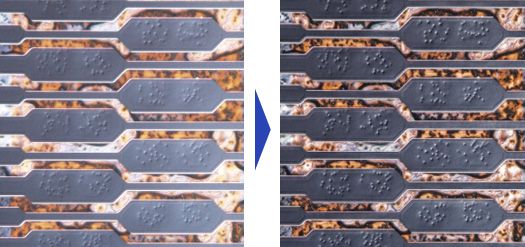 |
HDR - Enables high-definition inspection even in areas that have both high and low reflectance materials
WiDER Provides Easy Inspection of Samples with High Reflectance Difference
If the non-reflective area cannot be seen, merely increasing the illumination power is often not enough, because glare can occur. Olympus intelligent image processing technology eliminates these problems with WiDER, a proprietary system that works effectively with live images, is ready to go at the click of a button, and takes care of the high contrast problems in real time. No blackouts. No glare.
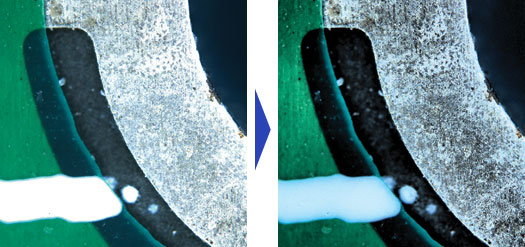
A click removes imaging problems caused by different materials
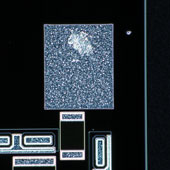
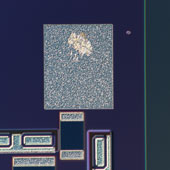
Change Observation Methods with One Click
 A click of a button gives you the image you want on screen | With virtually every industrial observation method at hand, it's easy to choose the proper one for the current task. No complicated adjustments needed. |
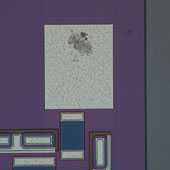
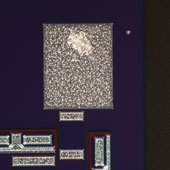
MIX Observation Method Easily Detects Defects and Imperfections
MIX combines BF with DF LED illumination, something conventional microscopes cannot do. With bright-field visibility and added dark-field detection capabilities, defects and imperfections can easily be detected.
|
|
|
|
|
Simple Operation Lets You See What You Couldn't See Before
The DSX500 requires no extensive knowledge or special techniques to show you exactly what you want to see. By calling on leading-edge electronic technology, you can now see what was unclear or impossible before.
Panoramic Images Include Areas beyond the Field of View
On the DSX500 there is no such thing as "outside the field of view." Just move the observation position on the screen, and the motorized stage will move the sample to that place. As the stage moves, the system automatically stitches images into a single large field of view, in real time. Where conventional microscopes reduce field area with increases in magnification, Panoramic View maintains the original field while giving closeup clarity - with 2D, extended focus, or 3D, or any combination of the three. |
3D Imaging Allows You to View Your Sample as It Actually Is
The DSX500 can easily show your sample in three dimensions, and then you can examine it from any angle. |
Extended Focal Range Imaging Shows Everything
Where conventional microscopes can focus only at one level, DSX500's Extended Focal Image (EFI) capability maintains focus across the entire range, which makes uneven surfaces easier to inspect. |
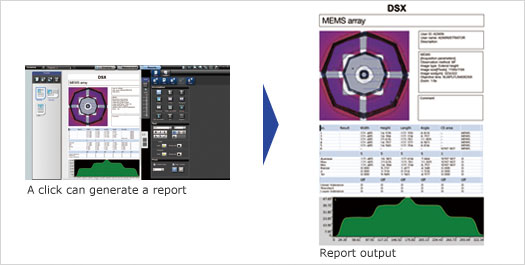
Customizable Report Function Makes Generating Reports Simple and Easy
With DSX500, you can perform an observation or measurement, and the system will automatically generate the relevant reports.
Color Enhancement Feature Shows Only What You Want to See
If you put what you need to see in color and leave the rest in monochrome, it's much easier to find defects, if any exist.
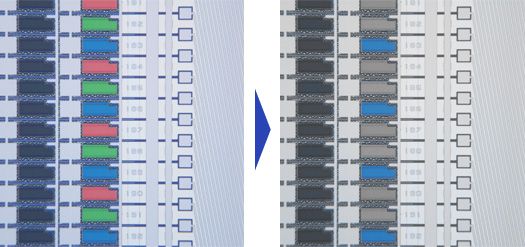
Inspection is easier when you can highlight possible defects or contamination for inspection
Olympus Long Experience Gives DSX Microscopes the Ability to See What Digital Microscopes Cannot
Olympus guarantees the reliability of all DSX500 microscopes because they are born of Olympus optical and digital technology. Glare is minimized and color reproduction is real. And to make sure of that, Olympus uses the perfect combination of CCD chip and graphic boards. The sample is reproduced with such accuracy it's like a new dimension.
High-Quality Optics Let You See Into Another Dimension
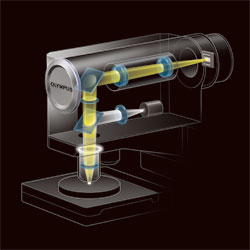 The optical technology and dedicated lenses | The DSX Series is the cumulation of Olympus long history of superior engineering and design capabilities as well as proven manufacturing quality. In the clear images produced by the DSX500 opto-digital microscope, you'll find neither flare nor distortion, unheard of in other digital microscopes. |
Dedicated DSX500 Field Lenses Make High-Grade Image Dissection a Simple Matter
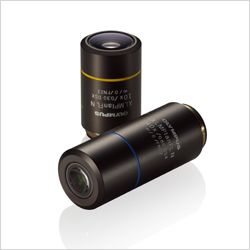 | These new 10x and 40x lenses were designed and manufactured for the DSX500. They combine high NA and long working distance as never before. Just zoom in and achieve extremely high resolution. What's more, you can also use other standard Olympus UIS2 lenses. |
High Resolution 18MP Images Reproduced with a High-Performance CCD*
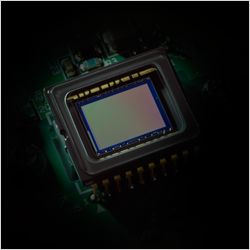 High-performance CCD | Olympus High-Performance CCD is the engine that shows exactly what our high-quality optics reveals. The image shift function ensures high fidelity with fine detail processing, so the clarity extends from corner to corner. |
LED Illumination Gives Picture-Perfect Inspection While Reducing Energy
New LED illumination not only assures accurate observation, but also provides low running costs. Most importantly, the color does not change with the LED's intensity thus minimizing the need for white balancing. And the long working life of the LEDs means the instruments are virtually maintenance free.
Precision Measurement with Absolute Reliability that Cannot Be Matched by Conventional Digital Microscopes
The DSX500 shows Olympus dedication to accurate measurement with its telecentric optics and stabilized frame design. The measurements are accurate and reproducible.
Accuracy and Repeatability Guaranteed
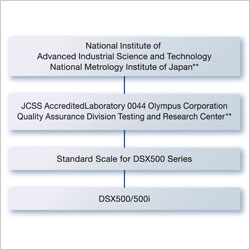 **Differs according to national and regional statutes A traceability diagram from a DSX500 series opto-digital microscope | The DSX500 provides precise and repeatable measurements.The accuracy is traceable to national standard. |
Auto-Calibration Eliminates User Errors
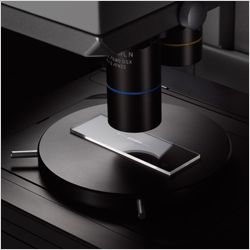 | Proper calibration is crucial to precise measurements, and with the Olympus DSX500, any operator can calibrate simply and accurately. This eliminates any differences that occur when different operators calibrate. |
Choice of 2D and 3D Measuring
The DSX500 microscope comes equipped with both 2D and 3D imaging capabilities. That means you can measure along the X, Y axis, or along X, Y, and Z axis. Observe, inspect, or measure from any angle.
*3D imaging function is an option
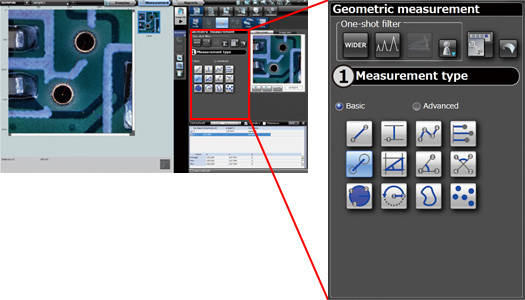
Mechanized 2D measurement: Automatic measurement of circles and rectangles
Geometric shapes and angles on screen can be measured automatically. The main measurement items are between 2 points, parallel width, circle center distance, rectangles, 3 point set angles, circles, etc.
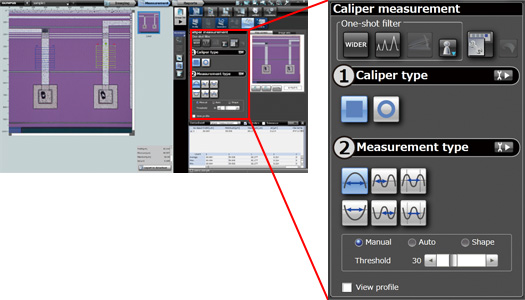
Caliper measurement (Option): Can handle rectangles and circles.
Measurements for rectangular or circular calipers specified on the image can be measured automatically.
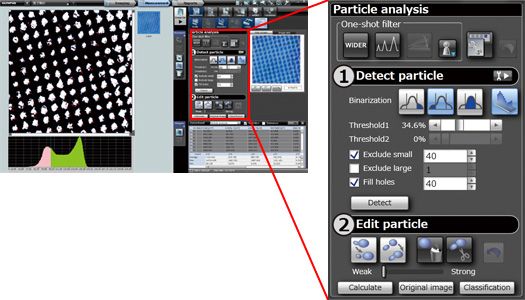
Particle analysis (Option): Automatic analysis of particle shape from image
The image is binarized and the area extracted from the image can be measured automatically. Threshold setting, such as small particle removal, large particle removal, and fill-in is possible.
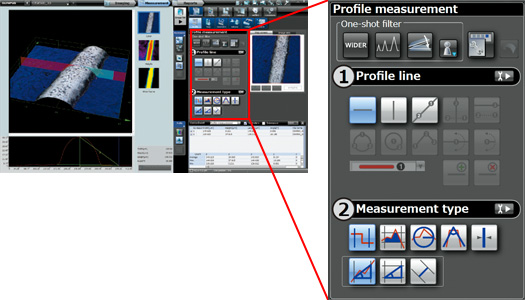
Profile 3D measurement: Automatic measurement of cross section area and curvature, etc.
By specifying a measurement line on screen, profiles such as length, line width, cross section area, curvature, and intersecting angles can be measured automatically.
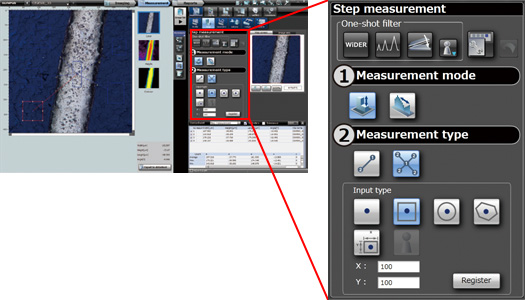
3D Step measurement: A level difference is measured by easy operation.
The distance of the height direction can be measured by specifying the point of measurement on a picture. It can also measure using a height histogram. *Level difference measurement requires the image data by which 3D photography was carried out.
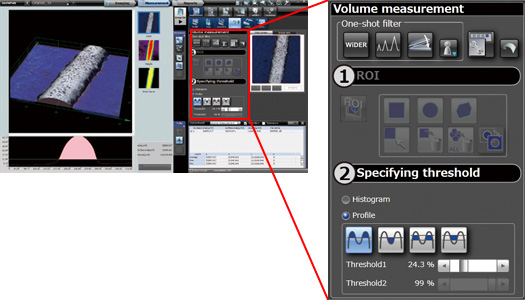
3D Area and Volume measurement: Surface area can also be measured automatically.
The area, volume and surface area of the region specified on the 3D image can be measured automatically. The threshold for measurement can be specified by histogram or by profile.
Low Center of Gravity, Sturdy Frame, and Anti-Vibration Ensure Measurement Performance
The low center of gravity and sturdy frame of DSX500 scopes provide sufficient stability at high magnification. Furthermore, the anti-vibration function absorbs any vibration that might affect inspection or measurement at high magnification.
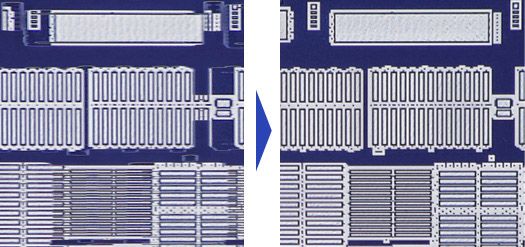
Without anti-viberation compensation With anti-viberation compensation
Telecentric Optics Ensure Precise Dimension Measurement
With telecentric optics, the size of the image does not alter when focus changes.
Advanced Materials Analysis Capability Is Available Through OLYMPUS Stream
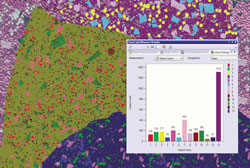 |
Metallographic evaluation, such as granularity analysis can be accomplished through Olympus Stream Image analysis software*. At the touch of a button, Olympus Stream software starts up and accesses the DSX image and data files immediately.
*Available as an option Learn more about the OLYMPUS Stream > |