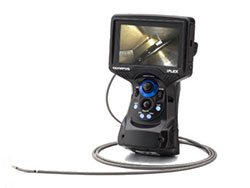
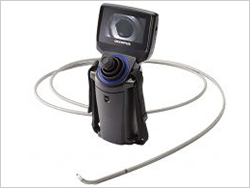
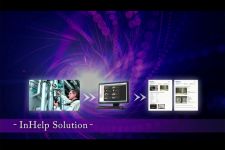
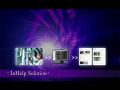
The inspection assist system, InHelp streamlines the whole process from on-site inspections with the IPLEX videoscopes to report generations, dramatically improving your work efficiency. Check the InHelp Product Overview Video >>
When you face problems during your inspection, Olympus offers InHelp as the solution
"It is hard to manage the inspection progress while inspecting many objects."
"It is time-consuming to find and sort intended images from a large quantity of recorded images."
"It is difficult to produce reports with inspected images and diagnoses."
InHelp is the solution
1. On-site Inspection
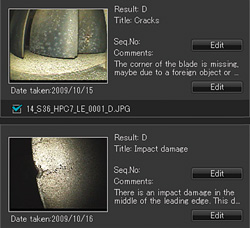
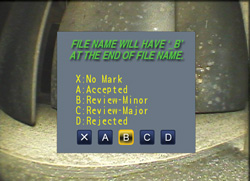
InHelp can store images in folders dedicated to a section of your inspection. Navigation from one inspection section to the next is a one-touch operation. This provides a fast and effective way to manage images and increase workflow. To further increase efficiency, a screen prompt enables you to add comments and defect diagnoses to each image.
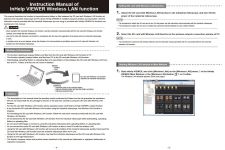
In addition, the newly mounted Wireless LAN capability allows the wireless transmission of the whole recorded data including the image storage folders to your PC or tablet device*.
*Confirmed with Toshiba FlashAir Wireless LAN SD card.
2. Image Management
InHelp can display recorded images based on the section of your inspection or defect level on a PC. InHelp also enables you to instantly review images with diagnoses information. Furthermore, comments, annotations, and stereo measurements of recorded images are also available.
3. Report Generation
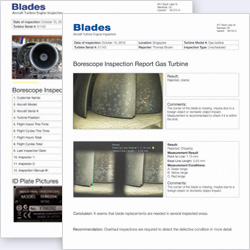
InHelp can create a detailed inspection report by just selecting images with one-click operation. Olympus can prepare customised report templates satisfying each customer demand. You can use optimal templates for your needs and incorporate your own information such as an inspection manual.
System requirements
Windows 7 (32-bit or 64-bit versions SP1*), 8.1 Update (32 bit or 64 bit) or 10 (32 bit or 64 bit)
RAM: 1 GB or more (32 bit) or 2 GB or more (64 bit)
HDD available space: 16 GB or more (32 bit) or 20 GB or more (64 bit)
USB Port
Display performance: XGA (1024 H x 768 V pixels) or higher
Applicable Industrial Videoscopes
IPLEX NX*
IPLEX RX*
IPLEX RT*
IPLEX G Lite*
IPLEX UltraLite
*InHelp software is included as standard.
This product includes software developed by the OpenSSL Project for use in the OpenSSL Toolkit. (http://www.openssl.org/).
This product includes cryptographic software written by Eric young (eay@cryptsoft.com).
This product includes software written by Tim Hudson (tjh@cryptsoft.com).
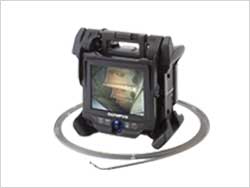
The IPLEX NX brings you the most advanced technologies in IPLEX series. It provides a bright, high-resolution image even in large spaces through a high-quality image sensor, bright laser diode light source, high-level image processing technology, and Olympus's optical lens technology.
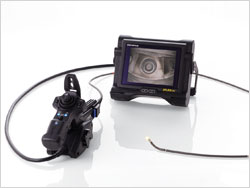
The IPLEX RX/ IPLEX RT are lightweight industrial videoscopes that feature the unique PulsarPic image processor to produce exceptionally high-resolution and bright images. They have a large 6.5-inch screen with an anti-reflective daylight-view monitor.
The IPLEX G Lite industrial videoscope packs powerful imaging capabilities into a small, rugged body. Lightweight and able to go almost anywhere, users working in challenging applications have a remote visual inspection tool with the image quality and ease of use to get the job done.
Olympus’ entry-level videoscope provides exceptional articulation, durability and great optics to get you the image you need. The instrument is built for use anywhere you need it and packed with features usually reserved for more expensive units.



 In addition, the newly mounted Wireless LAN capability allows the wireless transmission of the whole recorded data including the image storage folders to your PC or tablet device*.