OmniScan MX2
Discontinued Products
Przegląd
 Po ponad 10 latach utrzymywania statusu lidera w dziedzinie modułowych platform do badań NDT, defektoskop OmniScan MX pozostaje do dnia dzisiejszego najbardziej udanym przenośnym i modułowym urządzeniem do badań Phased Array firmy Olympus. Tysiące jego egzemplarzy znajduje się w użyciu na całym
świecie.
Po ponad 10 latach utrzymywania statusu lidera w dziedzinie modułowych platform do badań NDT, defektoskop OmniScan MX pozostaje do dnia dzisiejszego najbardziej udanym przenośnym i modułowym urządzeniem do badań Phased Array firmy Olympus. Tysiące jego egzemplarzy znajduje się w użyciu na całym
świecie.
Firma Olympus oferuje teraz nowy moduł PA z obsługą techniki TOFD, nowy moduł UT oraz nowe oprogramowanie (NDT SetupBuilder i nową wersję OmniPC), które wzbogaca możliwości OmniScan MX2 i sprzyja wysokiej efektywności pracy w procesach badań nieniszczących.
Więcej informacji o naszych rozwiązaniach OmniScan MX2.
Budowanie na solidnym fundamencieDruga generacja defektoskopu OmniScan MX2 zwiększa wydajność badań, daje lepsze możliwości wykonywania badań ręcznych oraz zaawansowanych aplikacji AUT (badania zautomatyzowane), pozwala na szybsze: ustawienia, cykle badań i tworzenie raportów. Dodatkowo zapewnia zgodność z ponad 10 modułami UT (klasycznymi i Phased Array) Ta wysokiej klasy, skalowalna platforma — zaprojektowana dla ekspertów w przeprowadzaniu badań nieniszczących — umożliwia wykonywanie badań NDT nowej generacji. OmniScan MX2 oferuje dużą szybkość rejestracji danych oraz nowe potężne funkcje oprogramowania dla zwiększenia wydajności badań ręcznych i zautomatyzowanych — w przenośnym modułowym urządzeniu. |
|
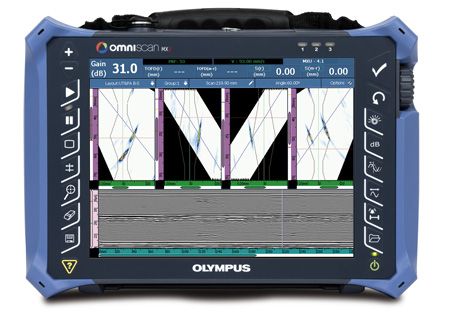
Szybciej oznacza lepiej!Rozpocznij swój dzień we właściwy sposób z OmniScan MX2. Urządzenie OmniScan MX2 upraszcza i przyspiesza wprowadzanie ustawień z pomocą nowego Kreatora, dzięki czemu możesz błyskawicznie zacząć badanie. Urządzenie MX2 oferuje zgodny ze standardem przemysłowym interfejs użytkownika Phased Array — który działa jeszcze szybciej niż dotąd — większy i jaśniejszy ekran o przekątnej 10,4 cala (26,4 cm), nowe i unikalne funkcje intuicyjnego ekranu dotykowego oraz szybszy transfer danych umożliwiający sprawniejsze przechodzenie do kolejnych badań. |  |
Więcej niż tylko instrument — także kompleksowe rozwiązanie
OmniScan MX2 stanowi ważny składnik rozwiązania do badań i może współpracować z innymi komponentami, tworząc wraz z nimi kompletny system. Firma Olympus oferuje pełną gamę produktów obejmującą głowice Phased Array, skanery, oprogramowanie do analiz oraz akcesoria — zintegrowane i łączone w dogodne pakiety o konkretnym zastosowaniu, dzięki czemu inwestycja w to urządzenie jest wysoce opłacalna. Ponadto firma Olympus oferuje na całym świecie wysokiej jakości usługi kalibracji oraz obsługę serwisową realizowaną przez zespół ekspertów od zastosowań techniki Phased Array.
 Badania spoin zbiorników ciśnieniowych | 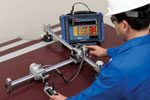 Badania kompozytów | 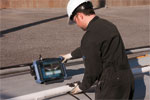 Badania spoin rur o małych średnicach |  Ręczne i częściowo zautomatyzowane
|
Instrument modułowy
Platforma, która zmienia się wraz z Twoimi potrzebami
Defektoskop OmniScan MX2 może być wyposażony w ponad 10 różnych modułów firmy Olympus. Regularne aktualizacje oprogramowania sprawiają, że platforma ta ewoluuje wraz z Twoimi potrzebami i stanowi bardzo bezpieczną i wartościową inwestycję.
Supernowoczesne moduły PA2 i UT2
Jako światowy lider technologii Phased Array, firma Olympus wprowadziła do oferty nową rodzinę modułów kompatybilnych z instrumentem MX2.
PA2Nowa oferta modułów Phased Array — w której prym wiodą nowe, innowacyjne moduły PA2 — obejmuje szereg udoskonaleń: Najwyższa jakość sygnału Phased Array i TOFD
Więcej możliwości multigrupy
Ogólne udoskonalenia sprzętowe
| 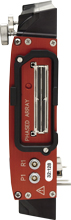 16:64 PA2 16:128 PA2 32:128 PA2 32:128PR PA2 |
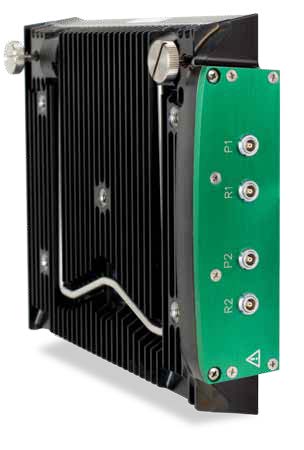
UT2Nowy konwencjonalny moduł ultradźwiękowy korzysta z tej samej technologii kanałów UT, co moduły PA2, ale oferuje dwa razy więcej kanałów. | 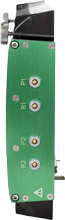 2-kanałowy UT2 |
Software Features
W nowym oprogramowaniu OmniScan wprowadzono udoskonalenia istotne zwłaszcza w badaniach spoin i korozji.
W ramach nieustannego doskonalenia interfejs oprogramowania został uproszczony, a czasy reakcji — zoptymalizowane z myślą o zapewnieniu użytkownikom maksymalnego komfortu pracy.
Do nowych funkcji należą:
- Eksportowanie skanu typu C
- Nowy widok końcowy ze scalaniem grup (merge)
- Przeplot
- Regulacja tłumienia/wzmocnienia podczas analizy
- Przewijane układy okien ułatwiające interpretację danych
- Ułatwienia w dostępie możliwe dzięki bardziej interaktywnym menu
- Zoptymalizowane menu główne i kreatory

Z myślą o zastosowaniach wymagających konfiguracji z wieloma głowicami udoskonalono układy multigrup, dzięki czemu konfiguracja skanera ma teraz odzwierciedlenie w interfejsie oprogramowania. Położenie różnych skanów zależy od ich odległości od środka spoiny, przez co układ na ekranie jest łatwy do zinterpretowania i atrakcyjny.
Workflow
Rodzina OmniScan
Konfigurowanie pomiaruNDT SetupBuilder Rozwiązania Olympus… | 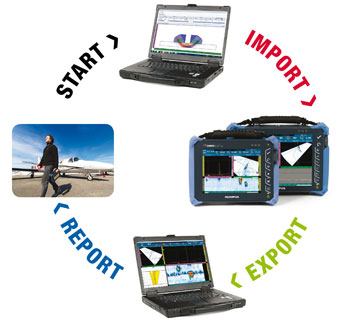 |
Akwizycja
OmniScan
Defektoskopy OmniScan oferują zaawansowane funkcje do badań ręcznych i zautomatyzowanych. Można stosować je z całą rodziną głowic, skanerów i akcesoriów, dzięki czemu Olympus jest marką z wyboru w branży petrochemicznej, lotniczej oraz innych sektorach przemysłu.
Analiza i raportowanie
OmniPC
Oprogramowanie OmniPC to najbardziej efektywna i przystępna cenowo opcja do analizy danych z defektoskopów OmniScan na komputerach PC. Zawiera te same funkcje do analizy i raportowania, co oprogramowanie wbudowane w instrumenty OmniScan.
TomoView
TomoView 2.10 udostępnia zaawansowane narzędzia do przetwarzania i analizy danych oraz generowania raportów, dzięki którym można lepiej wykorzystać dane pozyskane w trakcie badań.
Do zaawansowanych funkcji TomoView należy:
- Wolumetryczne scalanie w celu wizualizacji danych z multigrup.
- Scalanie skanów typu C w celu uzyskania zespolonej reprezentacji danych.
- Analiza stosunku sygnału do szumu (SNR) i narzędzia do jego optymalizacji.
- Zaawansowane narzędzia do generowania danych w trybie offline.
Konfiguracja za pomocą programu NDT SetupBuilder
Akwizycja za pomocą programu OmniScan MX2
Analiza za pomocą programu OmniPC
Konfiguracja za pomocą programu NDT SetupBuilder
NDT SetupBuilder to nowe oprogramowanie działające na komputerach PC, które umożliwia definiowanie konfiguracji badań oraz wizualizację symulacji wiązek. Oprogramowanie to oferuje wiele funkcji do łatwego, szybkiego i wszechstronnego opracowywania strategii badania, którą można następnie zaimportować bezpośrednio do instrumentu OmniScan MX2.
|
|
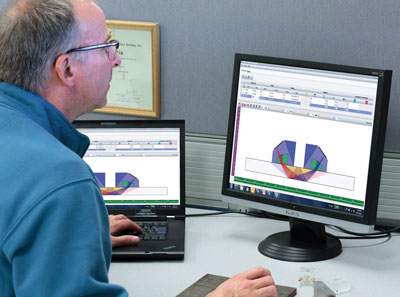
Definiowanie ustawień w instrumencie OmniScan MX2
Najbardziej efektywnym sposobem utworzenia konfiguracji jest wykonanie symulacji w programie NDT SetupBuilder i zaimportowanie jej bezpośrednio, z karty SD lub pendrive'a USB, do instrumentu OmniScan. Potem przed rozpoczęciem akwizycji wystarczy już wykonać kilka podstawowych operacji w instrumencie, np. ustawić bramki i zakres. Można także w prosty sposób zdefiniować ustawienia bezpośrednio w instrumencie OmniScan. Pomagają w tym następujące funkcje.
|
|
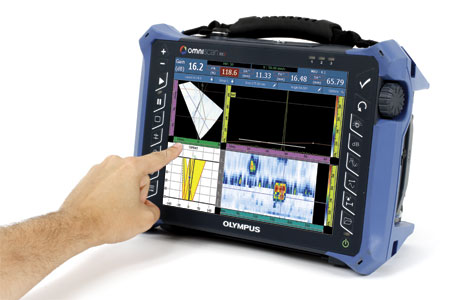
Akwizycja za pomocą programu OmniScan MX2
Za sprawą towarzyszącego oprogramowania NDT SetupBuilder i OmniPC instrument OmniScan MX2 może być albo wykorzystywany w stu procentach wyłącznie do kalibracji i akwizycji, albo na wszystkich etapach badania — w czym pomaga duży, intuicyjny ekran dotykowy. |
|
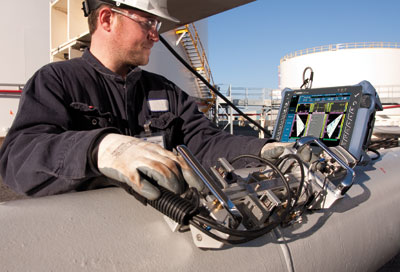
Kalibracja
Aby badanie spełniało wymagania formalne, kreator kalibracji gwarantuje, że każde prawo ogniskowania w każdej grupie jest bezpośrednim odpowiednikiem konwencjonalnego defektoskopu jednokanałowego. Użytkownik jest krok po kroku prowadzony przez wymagane procedury kalibracyjne, takie jak kalibracja prędkości, opóźnienia klina, czułości, TCG, DAC, AWS i enkodera. Obecnie kalibracja PCS i prostowanie fali podpowierzchniowej w technice TOFD może odbywać się automatycznie.
Akwizycja
Defektoskop OmniScan MX2 umożliwia łatwe konfigurowanie parametrów badania realizowanego w formie skanowania ręcznego, jednoliniowego lub kodowanego matrycowo. Wyniki akwizycji są prezentowane w czasie rzeczywistym w różnych widokach, a dane można zapisywać na karcie SD lub urządzeniu USB 2.0 (urządzenia pamięci masowej można podłączać i odłączać podczas pracy).
- Inteligentne układy pozwalające na skonfigurowanie maksymalnie 8 grup.
- Tryb pełnoekranowy do optymalnej wizualizacji defektów.
- Synchronizację i pomiary można realizować przy użyciu różnych kombinacji bramek.
Analiza za pomocą programu OmniPC
OmniPC to nowy program wyposażony w ten sam interfejs użytkownika oraz funkcje analizy i raportowania, co instrument OmniScan, ale działający na komputerze PC. Oprogramowanie OmniPC pozwala ograniczyć wykorzystanie defektoskopu OmniScan wyłącznie do skanowania, podczas gdy druga osoba wykonywać będzie analizę na komputerze PC. Oprogramowanie może być także używane z dużymi monitorami dla zapewnienia lepszej widoczności i obsługiwane za pomocą skrótów klawiaturowych, które przyspieszają pracę. |
|
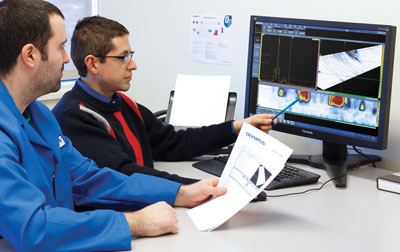
Analiza danych bezpośrednio w instrumencie OmniScan MX2
- Dane, informacje referencyjne i kursory do pomiaru defektów.
- Rozbudowana baza danych odczytów i predefiniowane listy: obliczenia trygonometryczne, statystyki defektów na osiach, informacje o pozycji wolumetrycznej, formalne kryteria akceptacji, statystyki mapowania korozji itp.
- Widoki są powiązane, co pozwala na interaktywną analizę, a zmiana położenia bramki w trybie offline powoduje automatyczną aktualizację widoków.
- Zoptymalizowane, wstępnie skonfigurowane układy pomagają w szybkim określaniu długości, głębokości i wysokości defektów.
Raportowanie
Zarówno defektoskopu OmniScan MX2, jak i programu OmniPC można używać do generowania raportów z tabelami wskazań obejmującymi maksymalnie osiem odczytów, np. amplitudę, pozycję i rozmiar defektów. Raporty można również modyfikować, uwzględniając w nich dodatkowe odczyty i komentarze do spostrzeżeń, i zapisywać w formacie HTML. Narzędzia do śledzenia wiązek umożliwiają przedstawienie położenia wskazań na profilu spoiny. Do raportów można wstawiać obrazy o wysokiej rozdzielczości wraz ze wszystkimi istotnymi parametrami badania.
Specyfikacja
Kompatybilność oprogramowania z defektoskopem OmniScan MX2
| Moduł | Wewnętrzny układ akwizycji OmniScan | OmniScan ze sterowaniem TomoView | Dostępne oprogramowanie do analizy |
| UT | MXU 4.3R2 | TomoView 2.10R19 z OSTV PA1 3.0R9 | OmniPC 4.3R2 |
| TomoView: 2.10R19 | |||
| PA | MXU 4.3R2 | TomoView 2.10R19 z OSTV PA1 3.0R9 | OmniPC 4.3R2 |
| TomoView: 2.10R19 | |||
| UT2 | MXU 4.3R2 | TBD | OmniPC 4.3R2 |
| TomoView: 2.10R19 | |||
| PA2 | MXU 4.3R2 | TomoView 2.10R19 z OSTV PA2 1.0R2 | OmniPC 4.3R2 |
| TomoView: 2.10R19 |
Uwaga: pliki wygenerowane za pomocą wcześniejszych wersji oprogramowania są obsługiwane w najnowszych wersjach.
Dane techniczne jednostki centralnej OmniScan MX2
| Ogólne > Wymiary całkowite (Sz x W x G) | 325 mm x 235 mm x 130 mm (12,8 cala x 9,3 cala x 5,1 cala) |
|---|---|
| Ogólne > Masa | 3,2 kg (7 funtów), bez modułów i z jednym akumulatorem |
| Przechowywanie danych > Urządzenia pamięci masowej | Karta SDHC, większość standardowych pamięci masowych z interfejsem USB lub szybkie połączenie Ethernet |
| Przechowywanie danych > Wielkość pliku danych | 300 MB |
| Porty we/wy > Porty USB | 3 |
| Porty we/wy > Alarm dźwiękowy | Tak |
| Porty we/wy > Wyjście wideo | Wyjście SVGA |
| Porty we/wy > Ethernet | 10/100 Mb/s |
| Linie we/wy > Enkoder | Linia enkodera 2-osiowego (kwadratura, góra, dół lub zegar/kierunek) |
| Linie we/wy > Wejście cyfrowe | 4 cyfrowe wejścia TTL, 5 V |
| Linie we/wy > Wyjście cyfrowe | 4 cyfrowe wejścia TTL, 5 V, 15 mA |
| Linie we/wy > Przełącznik włączania/wyłączania akwizycji | Sygnał TTL zdalnego włączenia akwizycji, 5 V |
| Linie we/wy > Wyjście zasilania | Wyjście zasilania 5 V, 500 mA (z zabezpieczeniem przed zwarciem) |
| Linie we/wy > Alarmy | 3 TTL, 5 V, 15 mA |
| Linie we/wy > Wyjście analogowe | 2 wyjścia analogowe (12 bitów) ±5 V przy 10 kΩ |
| Linie we/wy > Wejście taktowania | Wejście taktowania 5 V TTL |
| Wyświetlacz > Rozmiar wyświetlacza | 26,4 cm (10,4 cala) (przekątna) |
| Wyświetlacz > Rozdzielczość | 800 pikseli x 600 pikseli |
| Wyświetlacz > Jasność | 700 cd/m2 |
| Wyświetlacz > Liczba kolorów | 16 milionów |
| Wyświetlacz > Typ | TFT LCD |
| Zasilanie > Typ akumulatora | Inteligentny akumulator litowo-jonowy |
| Zasilanie > Liczba akumulatorów | 1 lub 2 (w komorze na akumulatory mieszczą się dwa akumulatory wymienialne podczas pracy) |
| Zasilanie > Czas pracy przy zasilaniu akumulatorowym | Co najmniej 7 godzin z dwoma akumulatorami |
| Specyfikacja środowiska > Zakres temperatury pracy |
Od -10°C do 45°C
(od 14ºF do 113ºF) |
| Specyfikacja środowiska > Zakres temperatury przechowywania |
Od -20°C do 60°C (od -4ºF do 140ºF) z akumulatorami
Od -20°C do 70°C (od -4ºF do 158ºF) bez akumulatorów |
| Specyfikacja środowiska > Wilgotność względna | Maks. 70% przy 45°C bez kondensacji |
| Specyfikacja środowiska > Klasa ochrony przed wniknięciem (IP) | Zaprojektowany dla IP66 |
| Specyfikacja środowiska > Klasa ochrony przed wstrząsami | Test odporności na upadek zgodnie z normą MIL-STD-810G 516.6 |
| Kompatybilność z modułami MX2 > MXU 4.1R8 i nowsze | OMNI-M2-PA32128PR |
| Kompatybilność z modułami MX2 > MXU 4.0 i nowsze | OMNI-M2-PA1664 |
| Kompatybilność z modułami MX2 > MXU 4.0 i nowsze | OMNI-M2-PA16128 |
| Kompatybilność z modułami MX2 > MXU 4.0 i nowsze | OMNI-M2-PA32128 |
| Kompatybilność z modułami MX2 > MXU 4.0 i nowsze | OMNI-M2-UT-2CH |
| Kompatybilność z modułami MX2 > MXU 3.1 i MXU 4.1R12 oraz nowsze | OMNI-M-UT-8CH |
Dane techniczne modułu Phased Array (dotyczą modułów OMNI-M2)
| Ogólne > Wymiary całkowite (Sz x W x G) | 226 mm x 183 mm x 40 mm (8,9 cala x 7,2 cala x 1,6 cala) |
|---|---|
| Ogólne > Masa | 1,6 kg (3,5 funta) |
| Ogólne > Złącza |
1 złącze Phased Array: złącze Olympus PA
2 złącza UT: LEMO 00 |
| Ogólne > Liczba praw ogniskowania | 256 |
| Ogólne > Rozpoznawanie głowic | Automatyczne rozpoznawanie głowic |
| Nadajnik/odbiornik > Apertura | 32 elementy* |
| Nadajnik/odbiornik > Liczba elementów | 128 elementów* |
| Nadajnik | Kanały PA | Kanały UT |
| Napięcie | 40 V, 80 V i 115 V | 95 V, 175 V i 340 V |
| Szerokość impulsu | Regulowana od 30 ns do 500 ns, rozdzielczość 2,5 ns | Regulowana od 30 ns do 1000 ns, rozdzielczość 2,5 ns |
| Kształt impulsu | Ujemny impuls prostokątny | Ujemny impuls prostokątny |
| Impedancja wyjścia (model 32:128PR) |
35 Ω w trybie impuls-echo
30 Ω w trybie pitch-catch | <30 Ω |
| Impedancja wyjścia (we wszystkich pozostałych trybach) | 25 Ω | <30 Ω |
| Odbiornik | Kanały PA | Kanały UT |
| Wzmocnienie | Od 0 dB do 80 dB, maksymalny sygnał wejściowy 550 mVp-p (cała wysokość ekranu) | Od 0 dB do 120 dB, maksymalny sygnał wejściowy 34,5 Vp-p (cała wysokość ekranu) |
| Impedancja wejścia (model 32:128PR) |
50 Ω w trybie impuls-echo
90 Ω w trybie pitch-catch |
60 Ω w trybie impuls-echo
50 Ω w trybie pitch-catch |
| Impedancja wejścia (we wszystkich pozostałych trybach) | 65 Ω |
60 Ω w trybie impuls-echo
50 Ω w trybie pitch-catch |
| Pasmo przenoszenia | De 0,5 MHz a 18 MHz (NOTA: O limite inferior de 0,6 MHz, declarado anteriormente, usou uma atenuação estrita de −3 dB para a frequência de corte.) | Od 0,25 MHz do 28 MHz (-3 dB) |
| Formowanie wiązki > Typ skanowania | Sektorowe i liniowe |
|---|---|
| Formowanie wiązki > Liczba grup | Maks. 8 |
| Akwizycja danych > Częstotliwość digitalizacji | 100 MHz |
| Akwizycja danych > Maksymalna częstotliwość impulsów | Do 10 kHz (skan typu C) |
| Przetwarzanie danych | Kanały PA | Kanały UT |
| Liczba punktów danych | Maks. 8192 | |
| Uśrednianie w czasie rzeczywistym | 2, 4, 8, 16 | 2, 4, 8, 16, 32, 64 |
| Prostowanie | RF, cały przebieg, dodatnie połówki, ujemne połówki | |
| Filtry | 3 dolnoprzepustowe, 3 pasmowoprzepustowe i 5 górnoprzepustowych | 3 dolnoprzepustowe, 6 pasmowoprzepustowych i 3 górnoprzepustowe (8 dolnoprzepustowych w przypadku konfiguracji w technice TOFD) |
| Filtrowanie wideo | Wygładzanie (dopasowane do zakresu częstotliwości głowicy) | |
| Wizualizacja danych > Częstotliwość odświeżania skanu typu A | W czasie rzeczywistym: 60 Hz |
|---|---|
| Synchronizacja danych > Wg zegara wewnętrznego | Od 1 Hz do 10 kHz |
| Synchronizacja danych > Wg enkodera | Na 2 osiach: od 1 do 65 536 kroków |
| Programowalna kompensacja czas-wzmocnienie (TCG) > Liczba punktów | 32: jedna krzywa TCG na każde prawo ogniskowania |
| Alarmy > Liczba alarmów | 3 |
| Alarmy > Warunki | Dowolna kombinacja logiczna bramek |
| Alarmy > Wyjścia analogowe | 2 |
*Apertura i liczba elementów zależy od modelu. Oferowane obecnie modele mają konfiguracje 16:64, 16:128 i 32:128.
UT / TOFD
Moduł UT2 TOFD i oprogramowanie MXU
Nowy moduł OmniScan MX2 UT2 firmy Olympus to zaawansowane, a jednocześnie przystępne cenowo rozwiązanie do badań techniką TOFD. Kilka udoskonaleń w dziedzinie sprzętu i oprogramowania sprawia, że badanie spoin techniką TOFD jest szybsze i łatwiejsze. Czołowy w tej klasie stosunek sygnału do szumu zapewnia optymalną jakość danych w badaniach TOFD.
Udoskonalenia
- Kreator TOFD
- Kalibracja PCS
- Wyraźniejszy skan typu B
- Układy Multi-TOFD
- Prostowanie fali podpowierzchniowej
- Wyższe PRF w grupach TOFD
- Wyższe napięcie (do 340 V) eliminuje potrzebę stosowania przedwzmacniaczy
Powyższe udoskonalenia przyspieszają i usprawniają konfigurację pomiaru, poprawiają jakość obrazu akwizycji i sprzyjają większej dokładności w określaniu rozmiarów defektów — a wszystko to razem przekłada się na większą produktywność pracy.
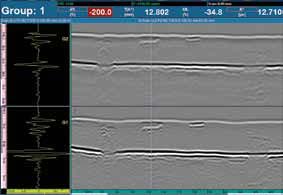
Układy Multi-TOFD
W nowym układzie Multi-TOFD możliwe jest wyświetlenie więcej niż jednej grupy na raz. W ten sposób można łatwo określać położenie i rozmiar widocznych defektów, dokonując wzrokowej korelacji pomiędzy grupami.
Prostowanie fali podpowierzchniowej
Narzędzie do prostowania fali podpowierzchniowej umożliwia bardziej spójną prezentację ułatwiającą interpretację danych. Prostowanie fali podpowierzchniowej pozwala również na bardziej precyzyjną ocenę głębokości i określanie rozmiaru defektów.
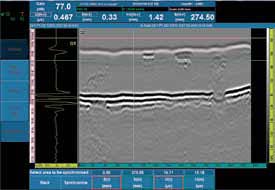 Nieprzetworzone dane TOFD | 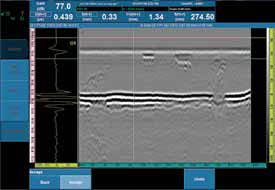 Dane TOFD po wyprostowaniu fali podpowierzchniowej |
Wspomniane wyżej udoskonalenia są także uwzględnione w oprogramowaniu OmniPC służącym do analizy danych na komputerze PC, bez angażowania instrumentu OmniScan — który można w tym czasie wykorzystać do kolejnych akwizycji.
Specjalne skanery i akcesoria
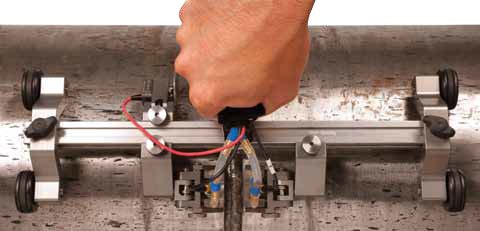
Skaner TOFD HST-Lite
Nowy skaner HST-Lite to idealne rozwiązanie do ekonomicznych, jednokanałowych badan TOFD, w których ważna jest jakość sygnału. Kombinacja kółek magnetycznych i sprężynowych uchwytów sond zapewnia stabilność potrzebną do prowadzenia badań jednoliniowych o wysokiej jakości. Skaner, który można obsługiwać jedną ręką, przywiera do powierzchni ferromagnetycznych nawet w pozycji odwróconej.
Kliny TOFD ze stali nierdzewnej
W komplecie ze skanerem HST-Lite zakupionym jako zestaw dostarczane są nowe kliny do badań TOFD ze stali nierdzewnej. Uważa się, że w większości zastosowań kliny takie są znacznie lepsze od zwykłych klinów z materiału Rexolite. Ich przewaga przejawia się w kilku obszarach:
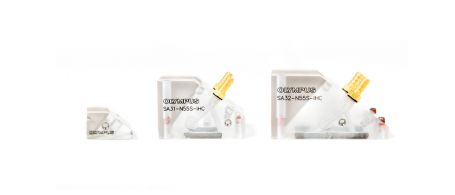
| 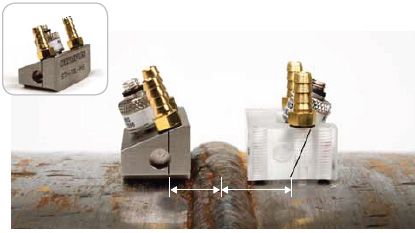 Nowe kliny ze stali nierdzewnej (po lewej) zapewniają lepsze pokrycie dzięki podejściu krótszemu o 3 mm. |
Kliny te są kompatybilne z rodziną wysoce wydajnych przetworników TOFD firmy Olympus.
Badania małych rur techniką TOFD
W ofercie dostępna jest rodzina klinów TOFD do badania profili o małym przekroju, zaprojektowanych specjalnie do użytku z popularnym skanerem COBRA. Kliny te można zaopatrzyć w głowice ST1 z elementem o średnicy 3 mm i stosować do badania rur o średnicy od 25,4 mm (1 cala) do 114,3 mm (4,5 cala). Kliny te są oferowane w wariantach o różnych kątach załamania wzdłużnego i można je zamawiać do konkretnych średnic albo w zestawie obejmującym cały zakres średnic. | 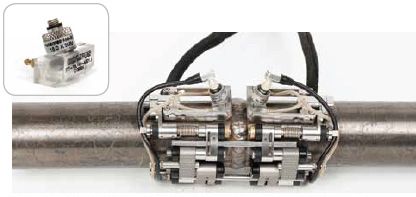 Skaner COBRA do rur o małej średnicy umożliwia badanie techniką TOFD przy zastosowaniu odpowiednich klinów, przewodów i przetworników. |
Kliknij tutaj, aby zapoznać się z informacjami o zamawianiu i danymi technicznymi.
Solutions
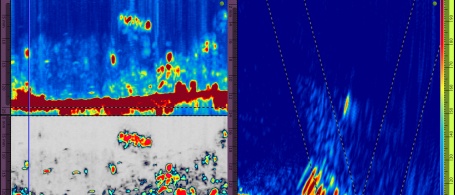
HTHA and Applications Requiring High Sensitivity
Confidently detect and define complex damage mechanisms such as high-temperature hydrogen attack (HTHA) through the optimal pairing of Evident’s high-sensitivity multielement probes with the advanced imaging capabilities of our data acquisition instruments.
These reliable solutions provide clear high-resolution images that increase your probability of detection and enable you to perform precise severity assessments to maintain the integrity of your assets.
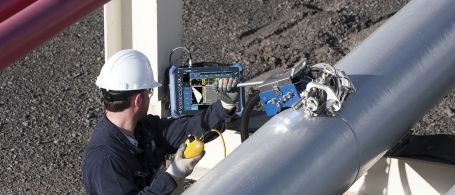
Industrial Scanners
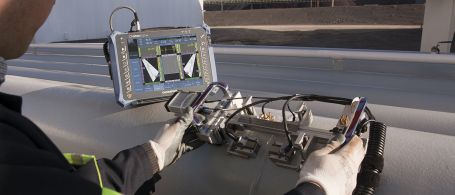
Weld Inspection Solutions
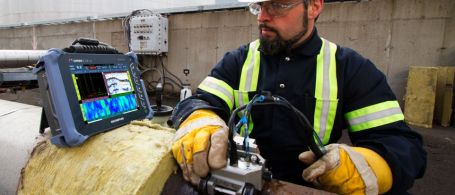
Corrosion Inspection Solutions
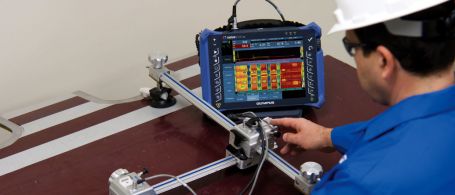
Composite Inspection Solutions
Scanners
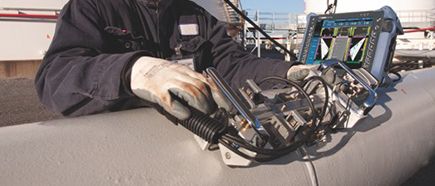
Weld Inspection Scanners
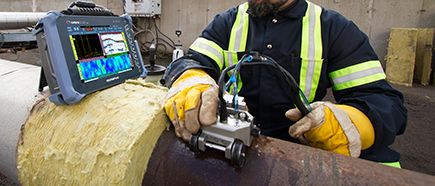
Corrosion Inspection Scanners
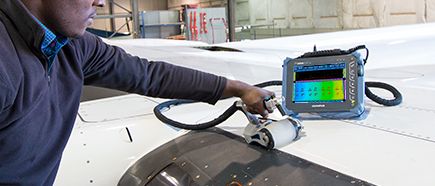
Aerospace Inspection Scanners
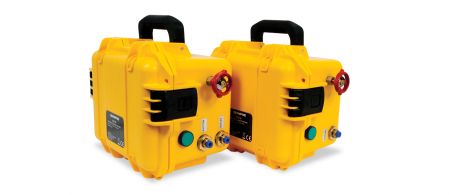
Scanner Accessories
Phased Array Probes
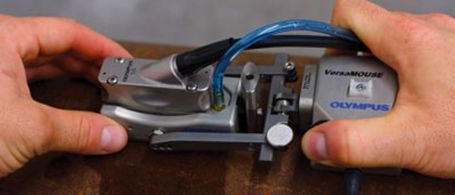
RexoFORM
With its unique Rexolite delay line and small footprint, the RexoFORM wedge is optimized for phased array 0° and angle beam inspection in limited-access locations. It offers an economical corrosion mapping solution, conforming to a wide range of pipe diameters without the need for a continuous water supply.
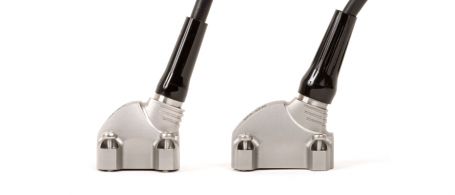
Weld Series Probes
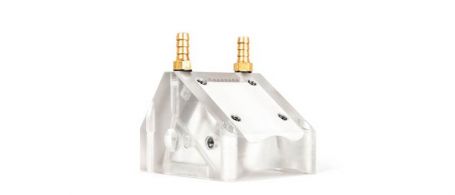
Passive-Axis Focusing (PAF) Wedges
This patented focusing wedge series helps compensate for beam divergence in the passive direction for pipe girth weld inspection. The smaller beam width enables the sizing of shorter flaws on the scan axis, helping lower rejection rates, and sharpening the images.
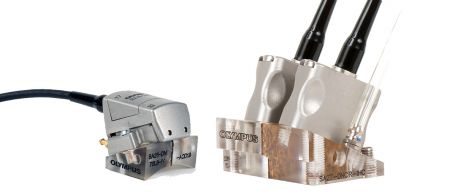
Dual Matrix Array Probes
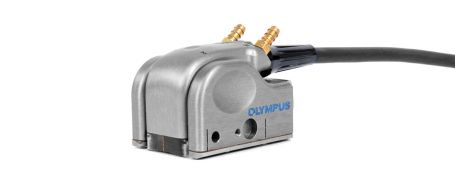
Dual Linear Array Probe
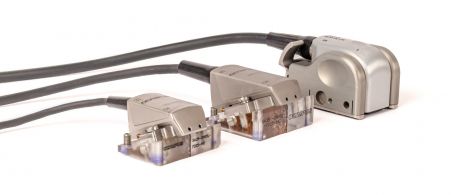
High-Sensitivity Probes for HTHA
For high-temperature hydrogen attack (HTHA) inspection, these optimized Dual Linear Array™ (DLA) and linear array probes enable earlier and more reliable detection through a combination of improved sensitivity, resolution, and image clarity with a wide coverage of the weld, HAZ, and parent materials.
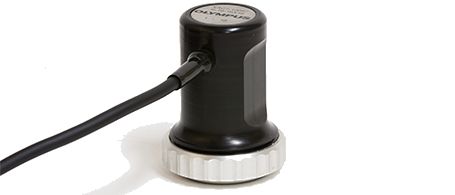
Manual Contact Probes
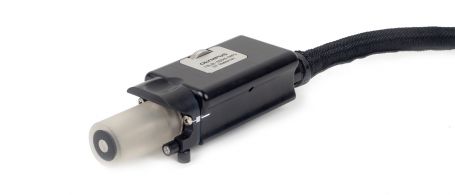
EdgeFORM
The EdgeForm phased array solution enables automotive manufacturers to inspect for voids in bonded or glued seams in trunks, hoods, and door panels.
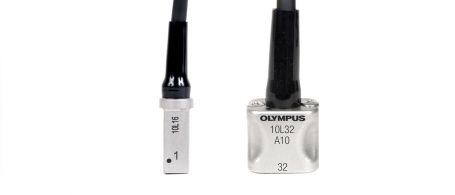
Small-footprint Probes
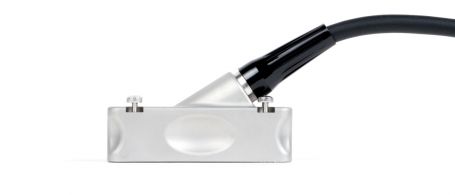
Universal Probes
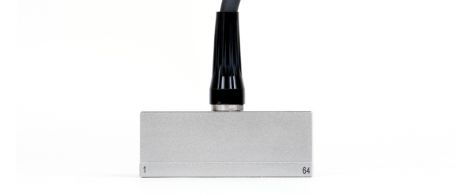
Near-wall Probes
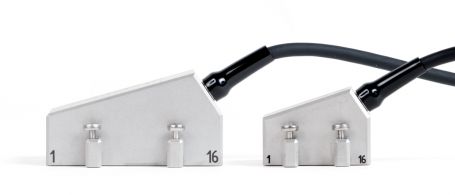
Deep Penetration Probes

Immersion Probes
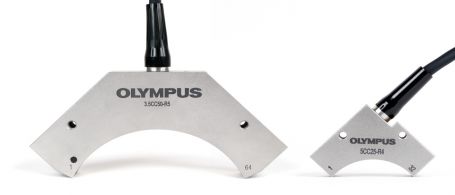
Curved Array Probes
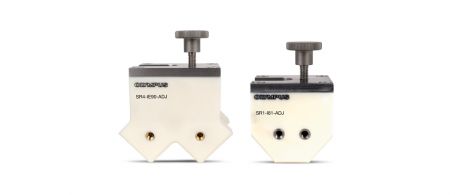
Immersion Corner Wedges for Curved Array Probes
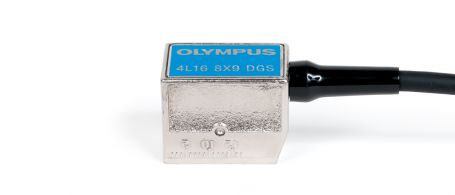
Integrated Wedge and Code Compliant Probes