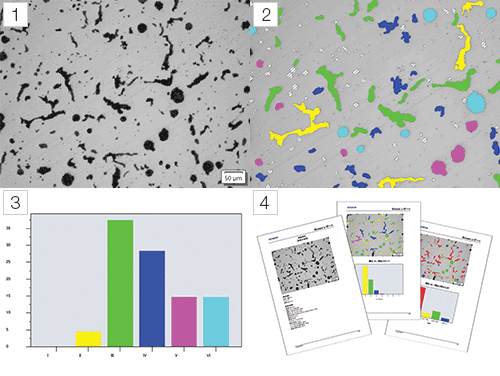
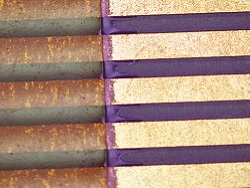
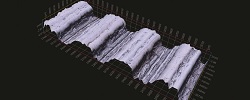
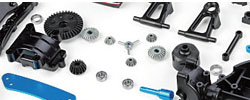
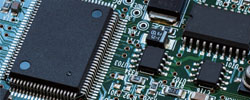
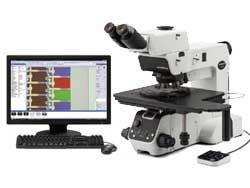
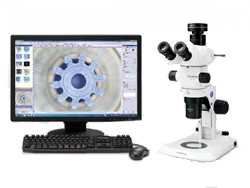
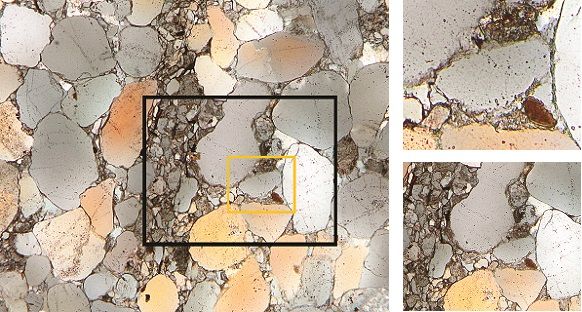
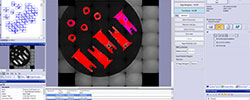
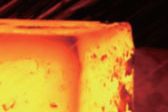
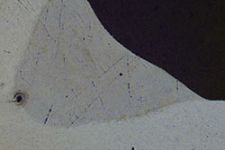
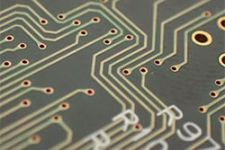
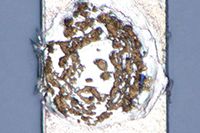
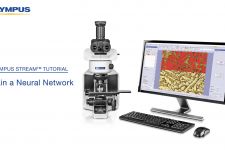
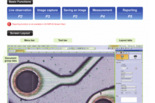
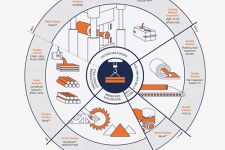
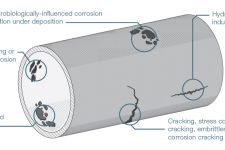
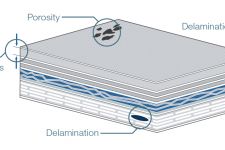
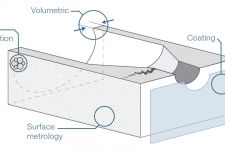
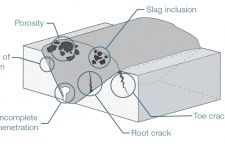
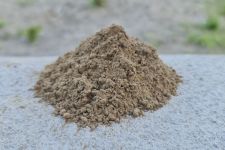
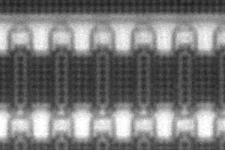
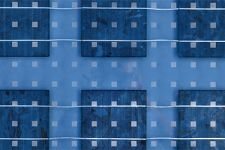
NEW OLYMPUS Stream은 발전된 마이크로 이미징 소프트웨어로 이미지의 획득, 프로세스, 그리고 이미지를 측정하여 가치있는 데이터와 보고서를 작성할 수 있습니다. 소프트웨어는 쉽게 사용자의 요구에 따라 맞추어질 수 있으며 정교한 결과와 손쉽고 유연한 동작법을 갖추고 있습니다.
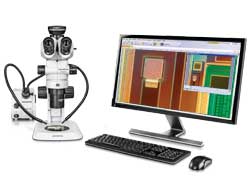
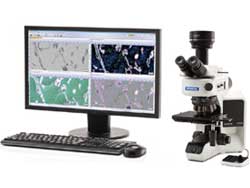
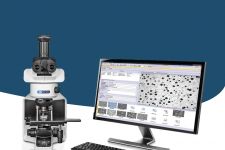
![]() BX51M and OLYMPUS Stream |
작업환경에서 가장 중요한 것은 시간입니다. OLYMPUS Stream 은 작업 절차의 흐름에 따라 사용자가 원하는데로 설정하실 수 있습니다. 손쉽고 간편한
동작법은 이미지 촬영, 조절, 측정, 리포트 생성 및 무엇이든 하고자 하는 모든 작업에 큰 노력을 들일 필요가 없습니다.
작업을 마치고 결과를 보시면 복잡함이 없이 사용자가 작업을 더욱 효율적으로 완료할 수 있다는 점을 찾으실 것입니다. |
OLYMPUS Stream 소프트웨어 시스템은 사용자의 필요에 맞게 Entry 기본레벨부터 자동컨트롤이 가능한 Motion레벨까지 다양한 패키지를 구성하고 있습니다. 각 패키지들은 별도의 특별한 모듈과 결합하여 특별한 분석용도로도 사용하실 수 있습니다.
OLYMPUS Stream 을 사용하시면 오늘날에 사용하는 어플리케이션 뿐만 아니라 앞으로 사용하게 될 어떤 어플리케이션에도 유용하게 사용할 수 있습니다. OLYMPUS Stream 시스템 솔루션은 사용자가 항상 발전된 기술과 기능을 사용할 수 있게 해줄 것입니다.
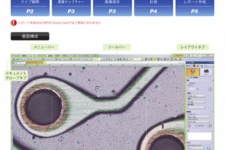
![]() OLYMPUS Stream 사용자 인터페이스 |
이미지 획득부터 보고서 생성까지 진행하면서 여러가지 도구들은 매 단계마다 화면에 표시되어 있습니다. 사용자는 빠르고 쉽게 변수들을 제어할 수 있습니다. |
![]() 작업 절차 1 : 이미지 획득 |
![]() 작업 절차 2 : 측정 |
![]() 작업 절차 3 : 객관적인 검출 |
![]() 작업 절차 4 : 보고서 생성 |
사용자의 필요에 따라 작업 창들을 작업절차에 가장 잘 맞게 배치할 수 있으며, 각 단계마다 필요한 기능들을 사용자가 직접 원하는 작업 창을 생성할 수도 있습니다.
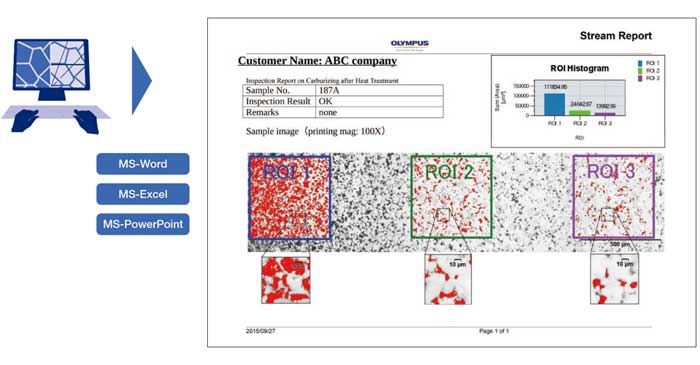
OLYMPUS Stream 은 전문적인 리포트를 생성하여 Microsoft Word 에서 바로 사용하실 수 있으며 각 회사에 알맞게 제목 및 구성을 변경하실 수 있습니다. 이미지는 확대 및
축소 가능하며 메타데이터와 함께 주석도 첨부할 수 있습니다.
통계 분석 및 그래프의 결과값들을 쉽게 자동적으로 Excel에 보내지게 하여 리포트를 작성할 수 있습니다. OLYMPUS Stream 은 별도의 특별한 어플리케이션이
필요없이 리포트 보기를 저장할 수 있는 고유한 압축 방식을 사용합니다.
사용자는 작업 절차에서 가장 많이 사용되는 기능과 단순 반복하는 작업들을 생성하고 저장하여, 새로운 사용자들도 소프트웨어를 쉽고 효율적으로 사용할 수 있습니다.
OLYMPUS Stream 이미지 네비게이션을 사용하여 실시간 영상 및 저장된 이미지를 상하좌우 및 확대 축소하여 보실 수 있습니다.
이미지 네비게이터 인터페이스는 현재 보고있는 이미지를 확대하고 확대되지 않은 이미지를 동시에 볼 수 있게 해줍니다.
네비게이션 시스템은 이미지를 촬영하기 전에 빠르고 즉각적으로 볼 수 있게 해주며, 모든 이미지 보기와 조작이 신속하고 간편한 사용자
인터페이스를 통해서 실행됩니다

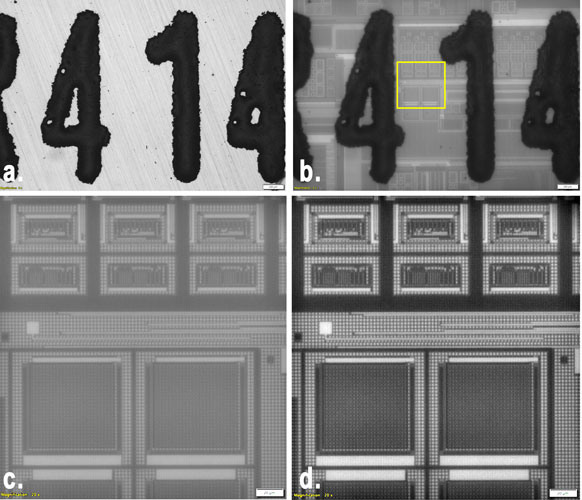
표면이 벗겨진 집적 회로
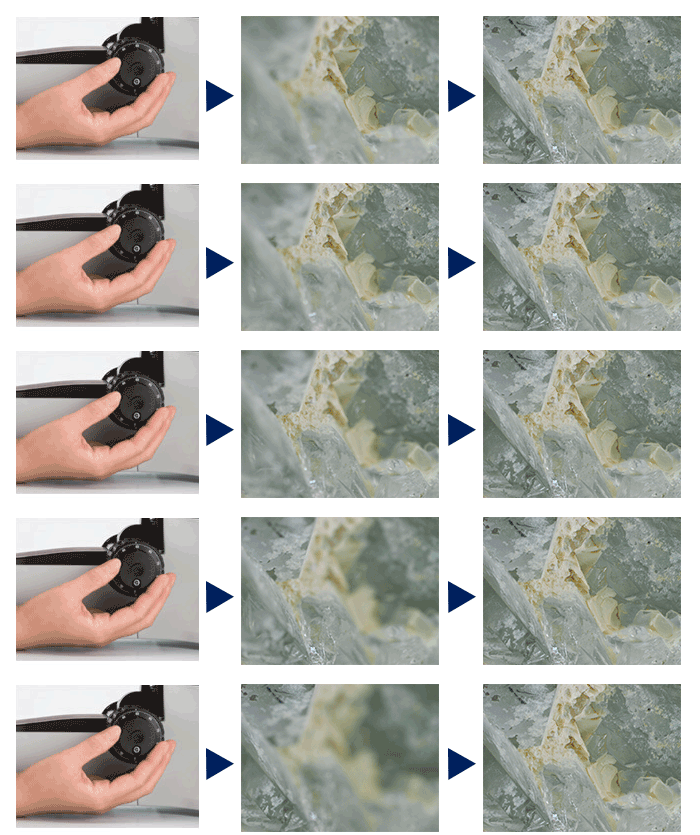
OLYMPUS Stream 소프트웨어는 연장된 초점 깊이를 가지는 이미지를 제공합니다. EFI 이미지는 Z 축으로 초점이 맞는 여러 이미지들을 결합하여 한 장의 완벽한 이미지로 재현하여 관찰용이나 X,Y 축의 측정용으로 활용할 수 있습니다.
![]() 완벽하게 초점이 맞은 다이아몬드 이미지 |
![]() |
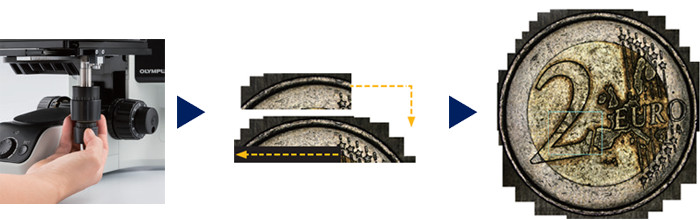
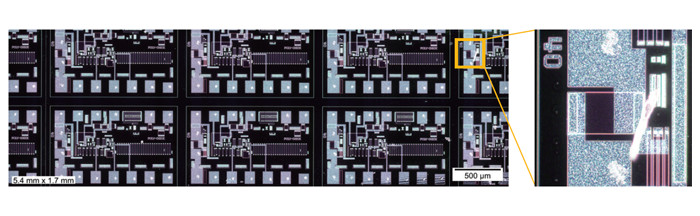
OLYMPUS Stream 소프트웨어는 연장된 관찰 영역 이미지를 파나로마 식의 이미지로 생성해주는 MIA 기능이 있습니다. 간편한 절차를 통해 빠르게 이미지들을 결합할 수 있으며, OLYMPUS Stream 소프트웨어는 여러 장의 이미지를 빠르게 이어 붙여 전체 형태 관찰이나 복잡한 측정 시에 활용할 수 있습니다.
![]() 플레티넘 와이어의 여러 이미지 획득 정렬 |
![]() |
정확하고 빠르게 초점이 잡힌 이미지를 얻기 위해서 OLYMPUS Stream 은 2가지의 오토포커스 기능을 제공합니다. 높은 contrast의 표면은 OLYMPUS Stream 소프트웨어 기반의 자동초점 기능을 사용할 수 있고, 폴리싱 제품이나 투명 물질같이 낮은 contrast의 표면은 OLYMPUS BXiS 현미경 시스템과 함께 결합하여 레이저 오토포커스 유닛을 통해 빠르게 초점을 잡으실 수 있습니다.2개의 시스템은 간단한 버튼의 클릭만으로 완벽하게 초점이 잡힌 이미지를 제공합니다.
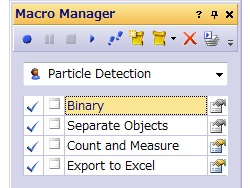
OLYMPUS Stream은 복잡하거나 반복되는 측정 작업들을 Macro Recorde를 통해 설정하는 기능을 제공합니다. Macro Recorder는 단계별 작업들을 실행한 후에 저장하게 되면 다음에는 한 번의 클릭만으로 실행하실 수 있습니다. 이 기능은 모든 사용자들이 항상 같은 설정으로 지속적인 결과를 얻을 수 있도록 해 줍니다.
![]() Pt 와이어의 여러이미지 획득 |
높은 해상도를 가진 자동화된 큰 사이즈의 MIA이미지를 생성할 때, motorized stage 와 OLYMPUS Stream 의 조합은 쉽고 빠르게 결과 이미지를 생성합니다.
사용자가 Stage Navigator Tool을 사용하여 MIA 스캐닝을 선택하면, 사용자는 전체의 과정을 절차에 따라 진행하게 됩니다. Motorized Focus 유닛과 자동EFI기능을 사용하게 되면, 소프트웨어는 초점에서 벗어나는 부분의 이미지를 포함하여 전체적으로 초점이 잡힌 이미지를 생성하기위해 최적의 이미지 수를 알려줍니다. |
OLYMPUS Stream 은 자동MIA 와 Motorized System을 사용할 때, 3개 혹은 그 이상의 포인트를 통해서 샘플의 기울기를 판단할 수 있습니다. 이 기능은 이미지를 획득할 때 스테이지 높이를 조절을 위한 시간을 줄여주고 반복성을 높여 줍니다.
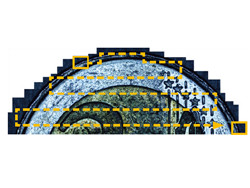
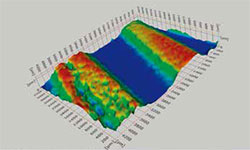
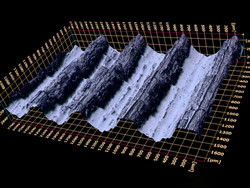
Motorized Focus 유닛을 사용하면 다른 초점의 각 이미지들은 자동적으로 기록되어 집니다. 그리고 보정된 Z-Profile 측정값들을 통해 Z축 Stack 데이터와 3D 이미지를 생성하여 3D-EFI 기능을 사용할 수 있습니다. 샘플의 3D View는 몇 번의 마우스 클릭만으로 깔끔하고 선명한 이미지로 만들어 보실 수 있습니다.
![]() 동전 세부모습 |
![]() 마모된 트랙의 3D 이미지 |
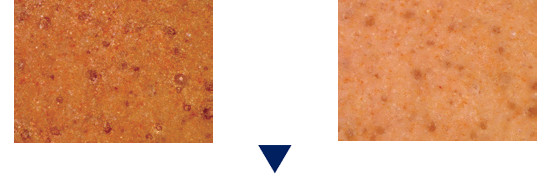
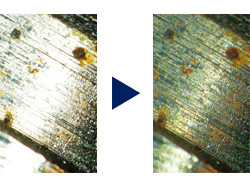
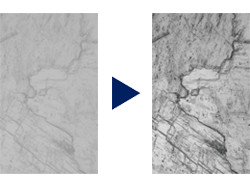
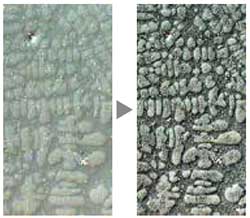
OLYMPUS Stream 은 Edge Detection, Smoothing 외 다양한 필터 기능을 가지고 있습니다. 사용자는 획득한 이미지를 여러가지 필터를 통해 강조하거나 수정하여 시각적으로 더 좋은 이미지를 만들 수 있습니다. 관찰하기 좋은 이미지를 얻기 위해 필터 적용 후의 이미지를 미리 확인하실 수 있으며, 이미지 추가 및 제거 등의 조작은 원본 이미지의 손실없이 쉽게 실행하실 수 있습니다.
![]() 필터 (DCE 필터로 contrast 강조) |
![]() 이미지 합성 |
![]() 측정 방법 |
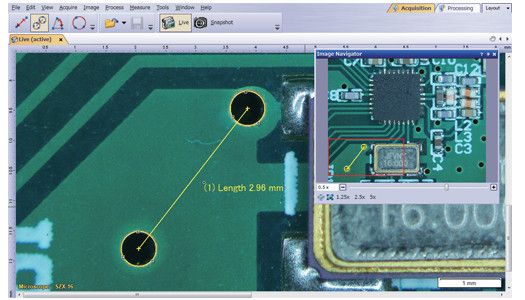
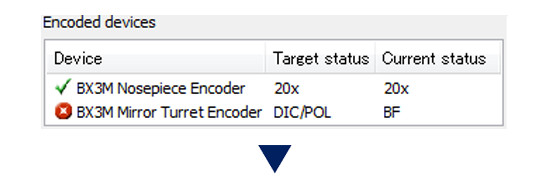
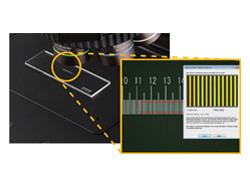
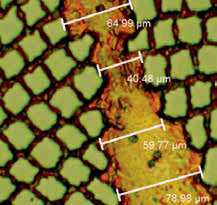
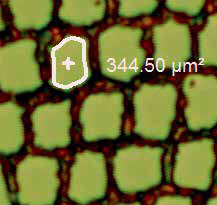
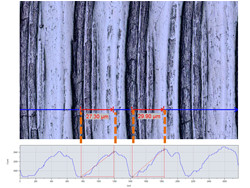
광학 검사 및 품질관리는 빈번하고 다양한 측정을 필요로 합니다. OLYMPUS Stream 은 상호 보완되는 다양한 측정 기능을 제공합니다. (거리, 각도, 직사각형, 원형, 타원 및 다각형) 측정은 마우스를 통해 할 수 있으며 Data Table 및 실제 이미지 위에 직접적으로 보여지게 됩니다. 모든 결과 값은 이미지파일과 함께 저장할 수 있습니다. 뿐만 아니라 정확성을 높이기 위해 대물렌즈의 배율을 사용자가 변경하는 것이 아니라 소프트웨어에서 자동적으로 바꾸어 주는 현미경 시스템도 준비되어 있습니다. |
OLYMPUS Stream 베이직부터 더 높은 성능의 패키지 까지 데이터 분석 패키지가 포함되어 있습니다. 데이터 분석 기능은 사용자의 필요에 따라 통계적으로 분석해 주며 평균, 최소, 최대 값 등 다양한 수치들을 얻을 수 있습니다. 얻어진 결과들은 마우스 한번 클릭으로 Microsoft Excel 에서그대로 사용하실 수 있습니다.
OLYMPUS Stream Essentials 과 더 높은 성능의 패키지는 사용자가 원하고자 하는 샘플의 경계선을 자동적으로 찾아주는 Wand 기능을 포함하고 있습니다. Magic Wans 는 한 개 혹은 다수의 라인에서 제한없이 측정 포인트를 선택 할 수 있으며 불규칙한 샘플을 측정하기 위한 free hand polygon 기능도 제공합니다.
캡쳐 혹은 주석이 첨부된 각각의 이미지들은 레이어들로 나뉘어 집니다( 원본 이미지, 측정 데이터, 주석 등 ). 보정 작업 등 원본이미지에 변경할 사항이 생기더라도 측정 결과값들에는 영향이 없습니다. 사용자는 측정하고 분석한 데이터 값들을 손쉽게 보존할 수 있습니다.
품질 및 추적관리하기 위해 이미지의 정보 및 상태를 기록하는 것은 필수적입니다. OLYMPUS Stream은 사용자가 신속하고 간편하게 렌즈 배율 및 종류, 픽셀 크기, 스케일 바 등의 정보를 얻을 수 있습니다. 변경되거나 업데이트된 Calibration 정보들로 생성된 Info Stamp 는 획득한 이미지나 저장된 보고서에 Overlaying 용으로 사용됩니다.
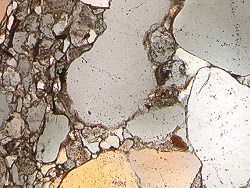
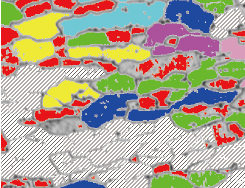
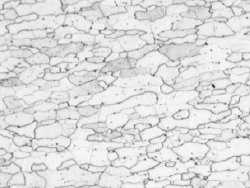
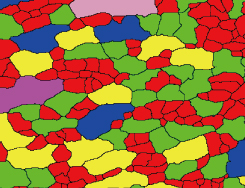
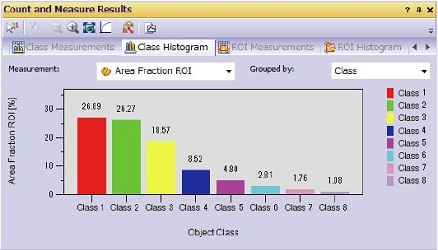
OLYMPUS Stream Essentials부터 더 높은 성능의 패키지들은 ROI 영역에서 유연성있고 강력한 Phase Analysis 기능을 제공합니다. 이 기능은 빠르고 간소화시켜 같은 이미지로부터 한 개 이상의 위상 데이터를 추출할 수 있습니다.
![]() 원본 이미지 |
![]() 위상 검출 |
![]() 객체 감지 및 분류 |
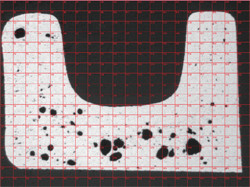
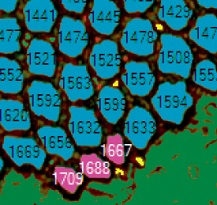
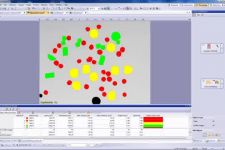
객체 감지 및 크기 분포 측정은 디지털 이미징에서 가장 중요한 응용 프로그램 중입니다. OLYMPUS Stream이 적용된 검출 엔진은 배경에서 안정적으로 별도의 개체 (예 : 입자, 긁힘)값들을 분류해 냅니다. OLYMPUS Stream은 객체 분류에 대한 50 개 이상의 다양한 모양, 크기, 위치에 대한 매개 변수 및 픽셀 속성 (강도, 회색 값)을 제공합니다. |
재료 솔루션 도구 창에서 아이콘의 클릭만으로 일반적인 국제 표준을 준수하여 신속하고 정확하게 복잡한 이미지 분석 작업을 실행할 수 있습니다.

예 : Grains Planimetric
하나 혹은 그 이상의 횡단면 레이어를 측정할 수 있습니다.OLYMPUS Stream 소프트웨어 기술은 레이어들을 자동적으로 측정합니다. 이 모듈은 같은 같은 복합 플라스틱과 같은 다층 재료의 페인트 코팅 두께와 레이어 두께 평가와 같은 다양한 어플리케이션에 사용됩니다.
![]() Carbon Fiber Fabric |
![]() |
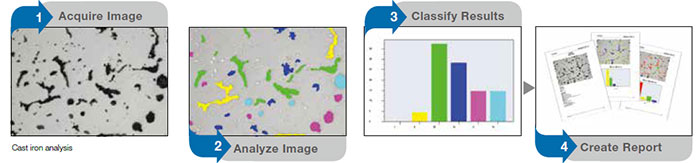
이 모듈은 주조 제품의 기계적 특성을 확인하기 위해 흑연 소결절형성을 측정하고 제어할 필요가 있는 주철 제조 업체를 위한 모듈입니다. OLYMPUS Stream 과 함께이 소결절형성은 흑연 크기, 모양 및 분포로 계산하실 수 있습니다. 결과는 자동적으로 국제 표준 (JIS5502, ASTM E247, 그리고 ISO945)에 따라 만들어집니다.
![]() Polished Cast Iron |
![]() |
이 모듈은 입자 크기를 강철 샘플을 연마하거나 에칭한 이후에 입자 크기를 측정하거나 컨트롤 하기 위한 철강업체를 위한 모듈입니다. OLYMPUS Stream은 입자 번호 G를 자동적으로 계산할 수 있습니다. 결과는 국제 기준 (JIS0552, E112 ASTM 및 DIN50601)에 따라 만들어집니다.
![]() Intercept Method |
![]() |
이 모듈은 입자 크기를 강철 샘플을 연마하거나 에칭한 이후에 입자 크기를 측정하거나 컨트롤 하기 위한 철강업체를 위한 모듈입니다. OLYMPUS Stream은 입자 번호 G를 자동적으로 계산할 수 있습니다. 결과는 국제 기준 (JIS0552, E112 ASTM 및 DIN50601)에 따라 만들어집니다.
![]() Planimetric Method |
![]() |
이 모듈은 철강 제조 업체에서 철강 비금속 흠도의 모양과 크기 (산화물, 알루미나, 황화물, 또는 규산염)를 측정하고 제어하는 것입니다. OLYMPUS Stream 은 자동으로 국제 표준 (ASTM E45 방법 A와 DIN 50602 방법 M)에 따라 만들어진 결과를 가지고 비금속 포함여부를 평가할 수 있습니다.
![]() Non-Metallic Inclusion in Steel |
![]() |
라이브 또는 정지 영상을 표준 차트와 비교할 수 있습니다. 오버레이를 비교하고 그리고 미리보기 기능을 사용할 수 있습니다. 이 모듈은 ISO의 입도 번호 평가, 비금속 포함 등급 및 주철 모양 클래스 평가에 사용될 수 있습니다.
![]() 실시간 평가를 위해 참조 이미지를 오버레이로 겹친 철의 미세 이미지 |
|
2M 픽셀의 CCD 카메라 DP21은 공간을 절약할 수 있으며 핸드 스위치를 통해 즉각적으로 사용할 수 있습니다(PC 필요 ). 핸드스위치와 함께 가장 많이 사용되는 12가지 측정기능을 가지고 산업분야에서 효율적인 검사를 할 수 있습니다.
> OLYMPUS 디지털 카메라 종류 (click)
> OLYMPUS 디지털 카메라를 비교해 보세요
당신이 과거에 만들어 놓은 수천장의 이미지와 파일의 관리를 효율적으로 해야 할때, OLYMPUS Stream은 사용자의 워크플로우에 따라 이미지 캡처부터 데이타 관리까지 능률적이게 만들어 줍니다. Stream은 Microsoft SQL Server Express 를 기반으로 한 client-server database와 결합하였습니다. 이것은 당신이 효율적인 데이터 공유 및 빠른 검색을 허용, 이미지 및 기타 파일 및 폴더에 사용자 정의 필드를 (생성 날짜, 프로젝트 ID, 부품 번호, 마감일 및 메타 데이터) 할당할 수 있습니다.
사용자가 현재 위치하는 장소와 다른 곳에서 데이터를 수집하고자 한다면, 현재의 IT 환경에 맞추어 OLYMPUS Stream Enterprise 인터페이스는 Microsoft SQL과 Oracle를 기반으로 하여 인트라넷이나 인터넷을 통해 효율적인 데이터 관리를 할 수 있는 Multisite 네트워크를 지원합니다.
OLYMPUS Stream의 NETCAM 옵션은 모든 권한이 부여된 네트워크 사용자가 OLYMPUS Stream PC에 연결하고 웹 브라우저를 통해 실시간으로 동일한 이미지를 보실 수 있습니다. 또한 지역 네트워크에 독립적인 통합 서비스를 제공하여 사용자의 사무실이나 전 세계 어디에서든지 이미지를 공유할 수 있습니다.
보고서 도구는 매우 인기있는 MS 오피스 제품군의 새 버전과 함께 사용할 수 있습니다. OLYMPUS Stream 은 미래를 위해 설계되었습니다.
마이크로 소프트 윈도우 7의 64 비트 버전은 운영 체제의 새로운 기준입니다. OLYMPUS Stream은 일상적인 작업을위한 64 비트 컴퓨팅의 고급 기능을 모두 활용합니다. 사용자는 원활하게 이전에 불가능했던 고급 이미지 프로세싱 작업을 (동시에 이상 2,000,000 객체를 계산 등) 실행할 수 있습니다.
| Start | Basic | Essentials | Motion | Enterprise | ||
| Basic image acquisition | ||||||
| Live image acquisition | Captures live image in various format | ■ | ■ | ■ | ■ | ■ |
| Live pan and zoom | Zoom into live image using mouse wheel, displays crosshair in overlay | ■ | ■ | ■ | ■ | ■ |
| Basic image tools | ||||||
| Image tools | Image history, properties, navigator and Gallery view tool windows | ■ | ■ | ■ | ■ | ■ |
| Image processing and filters | Enables contrast adjustment, edge detection, smoothing and sharpening of images and shading correction | ■ | ■ | ■ | ■ | ■ |
| Static annotations | Draws text, arrows, lines, rectangles and ellipses on the image | ■ | ■ | ■ | ■ | ■ |
| File Format | All major file formats are supported write and read. Open Olympus proprietary formats. | ■ | ■ | ■ | ■ | ■ |
| Interactive measurements | ||||||
| Field of view measurement | Measures distances, angles, rectangles, circles, ellipses and polygons | ■ | ■ | ■ | ■ | ■ |
| Advanced measurement | Interpolated polygon, Magic wand | - | - | ■ | ■ | ■ |
| Olympus device control | ||||||
| Olympus microscope control | Controls motorised and coded Olympus microscope systems BX2, GX, SZX, SZX2 and MX, reads out Prior SZX-ZE | ■ | ■ | ■ | ■ | ■ |
| Olympus cameras | Controls Olympus cameras1 and old compatible models2 (RoHS and non-RoHS) | ■ | ■ | ■ | ■ | ■ |
| Extended image acquisition | ||||||
| HDR | High Dynamic Range. Create a composite image perfectly exposed with all supported digital cameras | ■ | ■ | ■ | ■ | ■ |
| Movie | Create movie files (*.avi format) | - | ■ | ■ | ■ | ■ |
| Software autofocus | Perform contrast-based sorftware autofocus3 | - | ■ | ■ | ■ | ■ |
| Reporting | ||||||
| Data export and statistics | Exports measurement data to Microsoft Excel and OLYMPUS Stream workbook, including statistical analysis of measurements | - | ■ | ■ | ■ | ■ |
| Report composer | Creates Microsoft Word documents, directly from OLYMPUS Stream (requires Microsoft Word 2003, 2007 or 2010) | - | ■ | ■ | ■ | ■ |
| Detailed zoom | Creates an interactive digital zoom on Stream acquired image directly from Microsoft Word | - | ■ | ■ | ■ | ■ |
| Basic customization | ||||||
| My Functions | Creates a workflow and large button bar for frequently used commands | - | ■ | ■ | ■ | ■ |
| Extended device control | ||||||
| Non-Olympus cameras | Controls non-Olympus cameras4 | - | ■ | ■ | ■ | ■ |
| Imaging source converter | Controls DFG-1394 A-D (CON 800) converter (FireWire and USB 2.0) | - | ■ | ■ | ■ | ■ |
| Advanced customization | ||||||
| Layout management | Allows recording and editing of layouts | - | ■ | ■ | ■ | ■ |
| Macro recorder | Allows recording and editing of macros | - | - | ■ | ■ | ■ |
| Advanced acquisition process | ||||||
| Instant EFI | Instantly creates an EFI image while focusing | - | - | ■ | ■ | ■ |
| Manual MIA | Creates panoramic images over areas (requires manual XY stage) | - | - | ■ | ■ | ■ |
| Time lapse | Captures still images over time frequency | - | - | ■ | ■ | ■ |
| Extended image tools | ||||||
| Image arithmetic | Performs arithmetic and logical operations with image | - | - | ■ | ■ | ■ |
| Basic image analysis | ||||||
| Phase analysis | Perform threshold-based phase segmentation on full images and ROIs5, calculates area, area fraction and objects count | - | - | ■ | ■ | ■ |
| Advanced automated acquisition process | ||||||
| Automated EFI | Automatically creates an EFI image via a predefined number of frames, step size and top/bottom range (requires motorised stage) | - | - | - | ■ | ■ |
| Automated MIA | Creates panoramic images over areas (requires motorised stage) | - | - | - | ■ | ■ |
| Stage navigator | Position list and stage navigator to capture images at several stage positions or over stage areas | - | - | - | ■ | ■ |
| Stage control | ||||||
| 3rd party stage controls | Controls XYZ stage controllers from Objective Imaging, Prior ProScan, Ludl MAC, Marzhauser, ITK and LANG | - | - | - | ■ | ■ |
| Advanced image tools | ||||||
| Intensity calibration | Performs intensity calibration of channels | - | - | - | ■ | ■ |
| Z-stacks projection | Calculates projections over Z-Stacks | - | - | - | ■ | ■ |
| Document Storage | ||||||
| Simplified Document Storage | Provides simple solution for image and documents management | - | - | Option | - | - |
| Data management | ||||||
| Client-server database | Provides image and data management solution for microscopy (utilises Microsoft SQL Server Express 2005 or 2008) | - | - | - | ■ | ■ |
| User rights management | Provides user rights management for granting access to different records and record types | - | - | - | - | ■ |
| Large Database and LIMS support | Support of Oracle 11g and Microsoft SQL databases and allow the communication with external LIMS | - | - | - | - | ■ |
| Start | Basic | Essentials | Motion | |||
| Basic image acquisition | ||||||
| Live image acquisition | Captures live image in various format | ■ | ■ | ■ | ■ | |
| Live pan and zoom | Zoom into live image using mouse wheel, displays crosshair in overlay | ■ | ■ | ■ | ■ | |
| Basic image tools | ||||||
| Image tools | Image history, properties, navigator and Gallery view tool windows | ■ | ■ | ■ | ■ | |
| Image processing and filters | Enables contrast adjustment, edge detection, smoothing and sharpening of images and shading correction | ■ | ■ | ■ | ■ | |
| Static annotations | Draws text, arrows, lines, rectangles and ellipses on the image | ■ | ■ | ■ | ■ | |
| File Format | All major file formats are supported write and read. Open Olympus proprietary formats. | ■ | ■ | ■ | ■ | |
| Interactive measurements | ||||||
| Field of view measurement | Measures distances, angles, rectangles, circles, ellipses and polygons | ■ | ■ | ■ | ■ | |
| Advanced measurement | Interpolated polygon, Magic wand | - | - | ■ | ■ | |
| Olympus device control | ||||||
| Olympus microscope control | Controls motorised and coded Olympus microscope systems BX2, GX, SZX, SZX2 and MX, reads out Prior SZX-ZE | ■ | ■ | ■ | ■ | |
| Olympus cameras | Controls Olympus cameras1 and old compatible models2 (RoHS and non-RoHS) | ■ | ■ | ■ | ■ | |
| Extended image acquisition | ||||||
| HDR | High Dynamic Range. Create a composite image perfectly exposed with all supported digital cameras | ■ | ■ | ■ | ■ | |
| Movie | Create movie files (*.avi format) | - | ■ | ■ | ■ | |
| Software autofocus | Perform contrast-based sorftware autofocus3 | - | ■ | ■ | ■ | |
| Reporting | ||||||
| Data export and statistics | Exports measurement data to Microsoft Excel and OLYMPUS Stream workbook, including statistical analysis of measurements | - | ■ | ■ | ■ | |
| Report composer | Creates Microsoft Word documents, directly from OLYMPUS Stream (requires Microsoft Word 2003, 2007 or 2010) | - | ■ | ■ | ■ | |
| Detailed zoom | Creates an interactive digital zoom on Stream acquired image directly from Microsoft Word | - | ■ | ■ | ■ | |
| Basic customization | ||||||
| My Functions | Creates a workflow and large button bar for frequently used commands | - | ■ | ■ | ■ | |
| Extended device control | ||||||
| Non-Olympus cameras | Controls non-Olympus cameras4 | - | ■ | ■ | ■ | |
| Imaging source converter | Controls DFG-1394 A-D (CON 800) converter (FireWire and USB 2.0) | - | ■ | ■ | ■ | |
| Advanced customization | ||||||
| Layout management | Allows recording and editing of layouts | - | ■ | ■ | ■ | |
| Macro recorder | Allows recording and editing of macros | - | - | ■ | ■ | |
| Advanced acquisition process | ||||||
| Instant EFI | Instantly creates an EFI image while focusing | - | - | ■ | ■ | |
| Manual MIA | Creates panoramic images over areas (requires manual XY stage) | - | - | ■ | ■ | |
| Time lapse | Captures still images over time frequency | - | - | ■ | ■ | |
| Extended image tools | ||||||
| Image arithmetic | Performs arithmetic and logical operations with image | - | - | ■ | ■ | |
| Basic image analysis | ||||||
| Phase analysis | Perform threshold-based phase segmentation on full images and ROIs5, calculates area, area fraction and objects count | - | - | ■ | ■ | |
| Advanced automated acquisition process | ||||||
| Automated EFI | Automatically creates an EFI image via a predefined number of frames, step size and top/bottom range (requires motorised stage) | - | - | - | ■ | |
| Automated MIA | Creates panoramic images over areas (requires motorised stage) | - | - | - | ■ | |
| Stage navigator | Position list and stage navigator to capture images at several stage positions or over stage areas | - | - | - | ■ | |
| Stage control | ||||||
| 3rd party stage controls | Controls XYZ stage controllers from Objective Imaging, Prior ProScan, Ludl MAC, Marzhauser, ITK and LANG | - | - | - | ■ | |
| Advanced image tools | ||||||
| Intensity calibration | Performs intensity calibration of channels | - | - | - | ■ | |
| Z-stacks projection | Calculates projections over Z-Stacks | - | - | - | ■ | |
| Document Storage | ||||||
| Simplified Document Storage | Provides simple solution for image and documents management | - | - | Option | - | |
| Data management | ||||||
| Client-server database | Provides image and data management solution for microscopy (utilises Microsoft SQL Server Express 2005 or 2008) | - | - | - | ■ | |
| User rights management | Provides user rights management for granting access to different records and record types | - | - | - | - | |
| Large Database and LIMS support | Support of Oracle 11g and Microsoft SQL databases and allow the communication with external LIMS | - | - | - | - | |
| Start | Basic | Essentials | Motion | |||
| Basic image acquisition | ||||||
| Live image acquisition | Captures live image in various format | ■ | ■ | ■ | ■ | |
| Live pan and zoom | Zoom into live image using mouse wheel, displays crosshair in overlay | ■ | ■ | ■ | ■ | |
| Basic image tools | ||||||
| Image tools | Image history, properties, navigator and Gallery view tool windows | ■ | ■ | ■ | ■ | |
| Image processing and filters | Enables contrast adjustment, edge detection, smoothing and sharpening of images and shading correction | ■ | ■ | ■ | ■ | |
| Static annotations | Draws text, arrows, lines, rectangles and ellipses on the image | ■ | ■ | ■ | ■ | |
| File Format | All major file formats are supported write and read. Open Olympus proprietary formats. | ■ | ■ | ■ | ■ | |
| Interactive measurements | ||||||
| Field of view measurement | Measures distances, angles, rectangles, circles, ellipses and polygons | ■ | ■ | ■ | ■ | |
| Advanced measurement | Interpolated polygon, Magic wand | - | - | ■ | ■ | |
| Olympus device control | ||||||
| Olympus microscope control | Controls motorised and coded Olympus microscope systems BX2, GX, SZX, SZX2 and MX, reads out Prior SZX-ZE | ■ | ■ | ■ | ■ | |
| Olympus cameras | Controls Olympus cameras1 and old compatible models2 (RoHS and non-RoHS) | ■ | ■ | ■ | ■ | |
| Extended image acquisition | ||||||
| HDR | High Dynamic Range. Create a composite image perfectly exposed with all supported digital cameras | ■ | ■ | ■ | ■ | |
| Movie | Create movie files (*.avi format) | - | ■ | ■ | ■ | |
| Software autofocus | Perform contrast-based sorftware autofocus3 | - | ■ | ■ | ■ | |
| Reporting | ||||||
| Data export and statistics | Exports measurement data to Microsoft Excel and OLYMPUS Stream workbook, including statistical analysis of measurements | - | ■ | ■ | ■ | |
| Report composer | Creates Microsoft Word documents, directly from OLYMPUS Stream (requires Microsoft Word 2003, 2007 or 2010) | - | ■ | ■ | ■ | |
| Detailed zoom | Creates an interactive digital zoom on Stream acquired image directly from Microsoft Word | - | ■ | ■ | ■ | |
| Basic customization | ||||||
| My Functions | Creates a workflow and large button bar for frequently used commands | - | ■ | ■ | ■ | |
| Extended device control | ||||||
| Non-Olympus cameras | Controls non-Olympus cameras4 | - | ■ | ■ | ■ | |
| Imaging source converter | Controls DFG-1394 A-D (CON 800) converter (FireWire and USB 2.0) | - | ■ | ■ | ■ | |
| Advanced customization | ||||||
| Layout management | Allows recording and editing of layouts | - | ■ | ■ | ■ | |
| Macro recorder | Allows recording and editing of macros | - | - | ■ | ■ | |
| Advanced acquisition process | ||||||
| Instant EFI | Instantly creates an EFI image while focusing | - | option | ■ | ■ | |
| Manual MIA | Creates panoramic images over areas (requires manual XY stage) | - | option | ■ | ■ | |
| Time lapse | Captures still images over time frequency | - | - | ■ | ■ | |
| Extended image tools | ||||||
| Image arithmetic | Performs arithmetic and logical operations with image | - | - | ■ | ■ | |
| Basic image analysis | ||||||
| Phase analysis | Perform threshold-based phase segmentation on full images and ROIs5, calculates area, area fraction and objects count | - | - | ■ | ■ | |
| Advanced automated acquisition process | ||||||
| Automated EFI | Automatically creates an EFI image via a predefined number of frames, step size and top/bottom range (requires motorised stage) | - | - | - | ■ | |
| Automated MIA | Creates panoramic images over areas (requires motorised stage) | - | - | - | ■ | |
| Stage navigator | Position list and stage navigator to capture images at several stage positions or over stage areas | - | - | - | ■ | |
| Stage control | ||||||
| 3rd party stage controls | Controls XYZ stage controllers from Objective Imaging, Prior ProScan, Ludl MAC, Marzhauser, ITK and LANG | - | - | - | ■ | |
| Advanced image tools | ||||||
| Intensity calibration | Performs intensity calibration of channels | - | - | - | ■ | |
| Z-stacks projection | Calculates projections over Z-Stacks | - | - | - | ■ | |
| Document Storage | ||||||
| Simplified Document Storage | Provides simple solution for image and documents management | - | - | Option | - | |
| Data management | ||||||
| Client-server database | Provides image and data management solution for microscopy (utilises Microsoft SQL Server Express 2005 or 2008) | - | - | - | ■ | |
| User rights management | Provides user rights management for granting access to different records and record types | - | - | - | - | |
| Large Database and LIMS support | Support of Oracle 11g and Microsoft SQL databases and allow the communication with external LIMS | - | - | - | - | |
1 Altra 20, DP20, DP21, DP25, DP26, DP70, DP71, DP72, DP73, SC20, SC30, SC100, XC10, XM10, XM10IR, UC30, UC50, XC30, XC50
2 CC12, CVI, CVII, CVIII, CVIIIu, F-View II
3 requires Olympus microscope with motorized Z-axis or external motorised Z-axis (supported in OLYMPUS Stream Motion)
4 Qimaging cameras: MicroPublisher 3.3 RTV, MicroPublisher 5 RTV; Jenoptik cameras: ProgRes C3, ProgRes CT3, ProgRes C5
5 Rectangle, circle, polygons and magic wand.
1 Altra 20, DP20, DP21, DP25, DP26, DP70, DP71, DP72, DP73, SC20, SC30, SC100, XC10
2 CC12, CVI, CVII, CVIII, CVIIIu, F-View II
3 requires Olympus microscope with motorized Z-axis or external motorised Z-axis (supported in OLYMPUS Stream Motion)
4 Qimaging cameras: MicroPublisher 3.3 RTV, MicroPublisher 5 RTV; Jenoptik cameras: ProgRes C3, ProgRes CT3, ProgRes C5
5 Rectangle, circle, polygons and magic wand.
| Layer thickness measurement | |
| Description | Measures the thickness of single or multiple layers (cross section view) |
| Supported standards | n/a |
| Measurement types |
Layer boundaries can be specified using automatic detection, magic wand or manual mode.
Individual measurements can be added or deleted later on. |
|
Measurement of any type of layers (with even or uneven boundaries) is supported.
Layer thickness measurement calculates mean, maximum and minimum values as well as statistical data for each individual layer. | |
| Output | Spreadsheet with individual measurements. Report automatically created in Microsoft Word. |
| Grain sizing intercept | |
| Description | Measures the mean grain index using the intercept method |
| Supported standards | ASTM E112, GB/T 6394, GOST 5639, ISO 643, DIN 50601, JIS G0551, JIS G0552 |
| Measurement types |
Selection of pattern (Circles, Cross, Cross & Circles, Vertical Lines, Horizontal Lines, Horizontal & Vertical Lines).
Definition of the number of test lines for determination of grain elongation. |
|
Display the g-value in the Material Solution Tool Window.
Stores all results in the image property for additional data mining. | |
| Output | Spreadsheet with individual measurements. Report automatically created in Microsoft Word. |
| Grain sizing planimetric | |
| Description | Measures the distribution of grain index using the planimetric method |
| Supported standards | ASTM E112, GB/T 6394, GOST 5639, ISO 643, DIN 50601, JIS G0551, JIS G0552 |
| Measurement types |
Automatic extraction of grain boundaries.
User interaction using Stream sliders for improved usability. |
|
Display the g-value histogram in the Material Solution Tool Window for direct interaction
Stores all results in the image property for additional data mining. | |
| Output | Spreadsheet with individual bins measurements, Stream chart with the distribution. Report automatically created in Microsoft Word. |
| Chart Comparison | |
| Description | Allows the user to compare live or selected images with standard charts |
| Supported standards (Option) |
ISO 643:83 & ISO 643:03, DIN 50602, ISO 945, SEP 1520, SEP 1572 and EN 10247/07 (sold under license from copyright owners)
ISO 643:83 & ISO 643:03, DIN 50602, ISO 945, EN 10247/07 (sold under license from copyright owners)
|
| Measurement types |
Multiple displays available, including live overlay.
User interaction using Stream sliders for improved usability. |
|
Calculates statistics on the selected values.
Stores all results in the image property for additional data mining. | |
| Output | Spreadsheet with individual measurements. |
| Non Metallic Inclusion rating in Steel | |
| Description | Measures the non metallic inclusion rating in steel using the worst field method |
| Supported standards | ASTM E45 Method A, DIN 50602 Method M, ISO 4967 Method A, GB/T 10561 Method A, JIS G0555 Method A, UNI 3244 Method M |
| Measurement types |
Automatic detection of non metallic inclusion using colors, shape and size.
Automatic classification of oxydes, sulfides, silicates and aluminates |
|
Live display of the detected inclusion with its rating.
Stores all results in the image property for additional data mining. | |
| Output | Spreadsheet with individual measurements. Report automatically created in Microsoft Word. |
| Cast Iron Analysis | |
| Description | Measures the distribution, shape and size of graphite content in cast iron samples |
| Supported standards | EN ISO 945-1, ASTM A247, JIS G5502, KS D 4302, GB/T 9441 |
| Measurement types |
On polished samples: Automatic measures the characteristics of the graphite content (Size, Shape and Distribution)
On etched samples: Measures the ferrite to pearlite ratio |
|
Integrated workflow which take into account the sample status (etched or polished)
Stores all results in the image property for additional data mining. | |
| Output | Spreadsheet with individual measurements. Report automatically created in Microsoft Word. |
| Particle Detection | |
| Description | Automatically Count & Measure of objects and particles |
| Supported standards | n/a |
| Measurement types | Multiple threshold methods are available (automatic, manual HSV, manual and adaptative). |
| The system can automatically measure multiple parameters on all segmentd objects (Area, Aspect Ratio, Bisector, Bounding box, Gravity Center, ID, Mass Center, Intensities Values, Convexity, Diameters, Elongation, Feret, Extent, Next Neighbor Distance, Orientation, Perimeter, Radius, Shape, Sphericity ...). | |
| Output | Spreadsheet and charts with individual and distribution measurements. |
| 3D Surface View | |
| Description | Displays a 3D perspective of an image stack acquired with a motorised Z. (available with Stream Motion) |
| Display |
Creates a new image with a 3D perspective.
Easy navigation and rendering with the mouse |
| Measurement of height profiles on the 2D projection | |
| Output | The result image can be exported. Animation can also be created automatically. |
| Netcam | |
| Description | Live transmission of images over the network |
| Display | Remote Live view of the image using Microsoft Internet Explorer |
| Output | Several users can share the same image at the same time. |
If you are able to access the Internet from your OLYMPUS Stream software, you can activate the software directly from the software itself (for details, see the Installation Manual). If you are unable to access the Internet from your OLYMPUS Stream software, however, you can activate OLYMPUS Stream using an activation key, which can be obtained from another computer on which you are able to access the Internet. You do not need to activate the software if you have the version prior to OLYMPUS
Stream V1.7.
* You can confirm the version number by clicking 【Help>About 】.
1-1.When OLYMPUS Stream starts, the [Activate Product] window appears. If you have not obtained the activation key yet, click the [Next] button. If you have already obtained the activation key, enter the activation key and click the [Activate] button. (Go to Step 1-8.)

1-2. Tick [Visit web page to receive key] and click the [Next] button.

1-3. When the activation request key appears, make a note of it. Do not close the screen but leave it as is.

1-4. Access the following URL from your browser
> OLYMPUS Stream Ver.1.7 Activation
1-5. Enter the activation request key obtained in Step 1-3 above in the field of Activation request key and click the [next].

1-6. When the activation key appears, make a note of it.

1-7. Enter the activation key in the [Activate Product] window of PC where OLYMPUS Stream is installed, and click [Activate].

1-8. When the screen shown on the left side appears, click the [Close] button. This completes the activation.

Copyright 2011 OLYMPUS CORPORATION, All rights reserved. Condizioni d'uso | Informativa sulla privacy