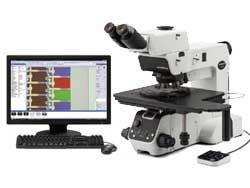
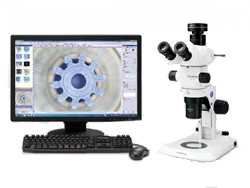
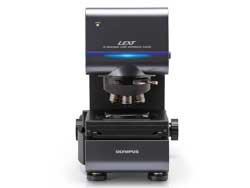
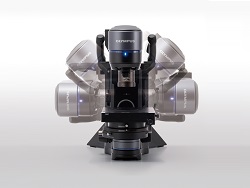
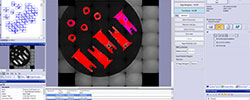
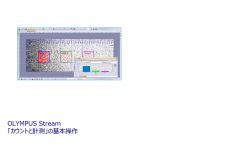
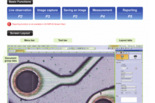
OLYMPUS Stream is an advanced micro-imaging software that allows you to seamlessly acquire, process, and measure images, to create valuable data and reports. The software can easily be customized and provides sophisticated results with simple flexible operation.
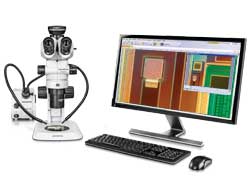
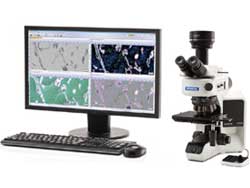
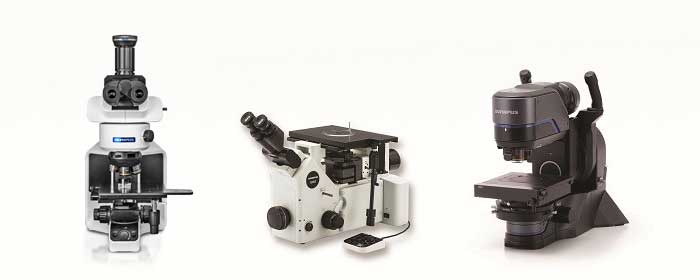
![]() BX51M and OLYMPUS Stream |
Your time is just as important as your working conditions. That's why the OLYMPUS Stream system can be personalized to fit your process flow. An easy-to-use interface guides you effortlessly through every step from image adjustment and capture, measurements, report creations, and archiving-or whatever you need to achieve. As a result, you'll find that you can complete your tasks more efficiently, regardless of their complexity. |
The OLYMPUS Stream software system can be purchased in a variety of packages designed to fit your needs- whether you require the capabilities found in the entry- level OLYMPUS Stream Start or the advanced automation controls found in OLYMPUS Stream Motion. The packages are also expandable with specific application modules to meet unique analysis needs.
There's a right package for your requirements. You can create your system exactly as you wish-your way.
With the OLYMPUS Stream system, you're prepared not only for today's applications but for tomorrow's as well. Whatever the future may bring, OLYMPUS Stream system solutions will let you keep up with advances in technology.
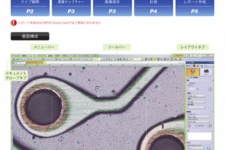
![]() OLYMPUS Stream user interface |
As you progress from image capture to report creation, the tool windows you need are always displayed at every stage. You can quickly and easily access control parameters. |
![]() Work flow 1 : Image Acquisition |
![]() Work flow 2 : Measurements |
![]() Work flow 3:Objective Detection |
![]() Work flow 4: Report Generation |
Depending on your needs, you can arrange the layout of the tool window to best fit your workflow. You can create customized layouts with all the necessary functions for each activity.
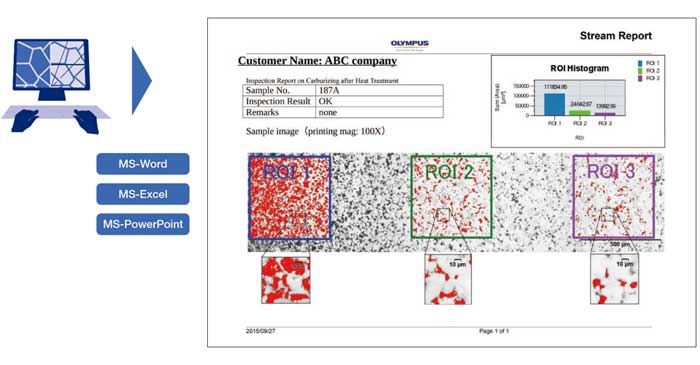
OLYMPUS Stream can create professional reports directly into Microsoft Word. Report templates and headers can be flexibly modified according to your company's needs. The images can be zoomed and annotated along with the metadata.
Statistical analysis and graphing are also accomplished using Excel with the output easily imported into your report. OLYMPUS Stream uses a unique compression method that allows you to store view reports without the need for any unique applications software.
You can create intuitive workflows based on the most frequently used functions, simplifying repetitive tasks so that even new users are able to operate the software easily and efficiently.
Using the OLYMPUS Stream image navigation allows you to pan and zoom on live or stored images. The image navigator interface provides immediate updates at your location on both the zoomed and unmagnified images. The navigation system provides you with fast, immediate views of your sample before you acquire an image. All image viewing and manipulation is carried out with a clean, simple user interface, providing fast and intuitive results.

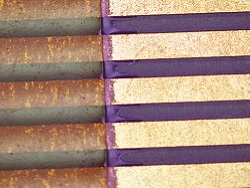
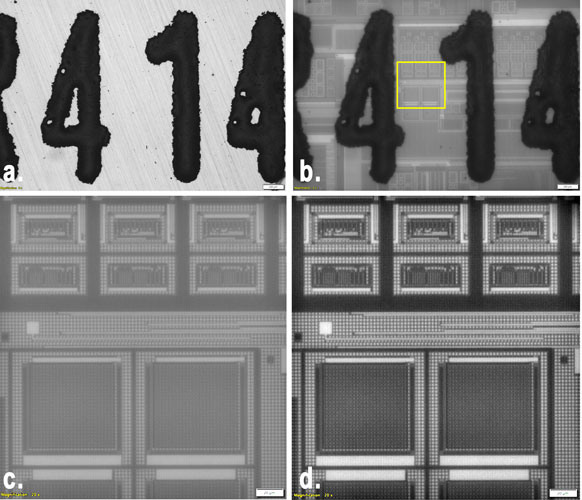
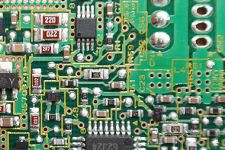
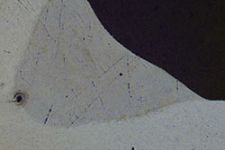
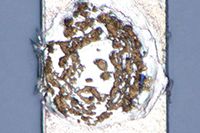
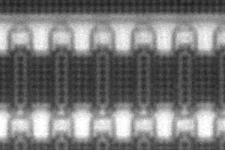
Peeled integrated circuit
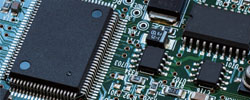
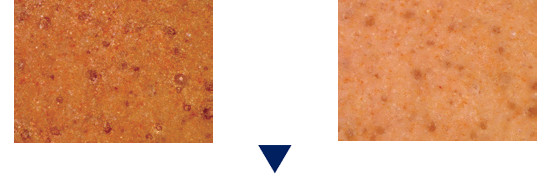
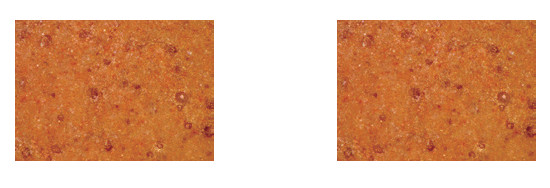
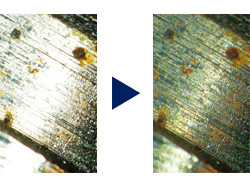
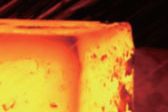
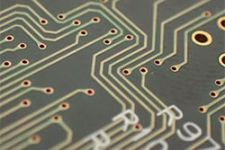
HDR (High Dynamic Range) offers an exceptional level of contrast for microscopic images containing both bright, highly reflective features as well as dark low-reflective features. As an integral part of OLYMPUS Stream software HDR algorithms automatically acquire a series of images at varying exposure times and within seconds create a composite image perfectly exposed at every section. This is especially useful for metallurgical microstructures, printed circuit boards, or composite components. HDR imaging is also offered when acquiring stitched, panoramic (MIA) images, or when creating combined images of perfect focus, sampling from varying focal points (EFI).
![]() Without HDR |
![]() With HDR (High Dynamic Range) |
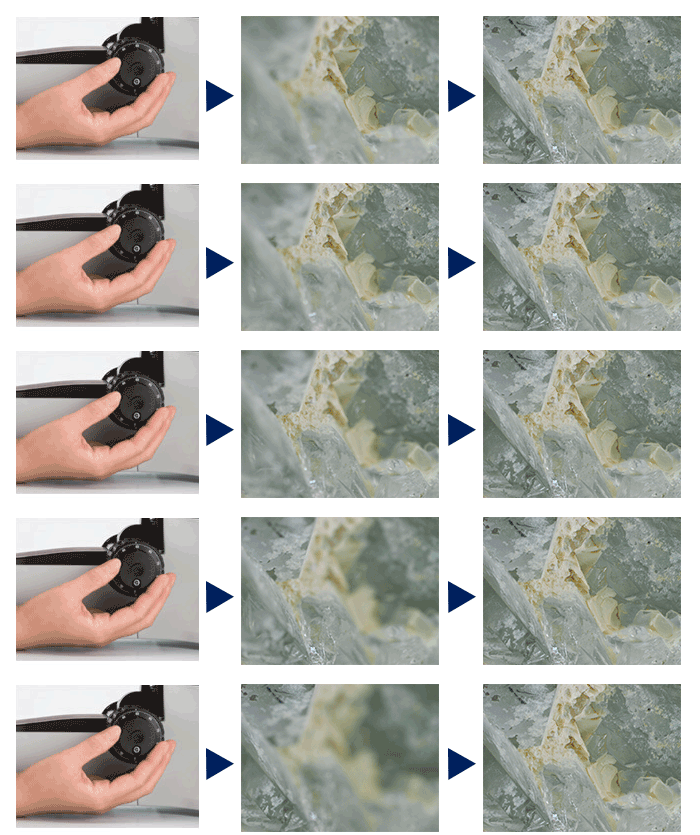
OLYMPUS Stream software easily provides images for samples that extend beyond the depth of focus. The instant Extended Focus Image allows you to use the fine focus adjustment to combine many images in the z-axis to provide you with a single combined output that can be used for visualization or measuring in x and y.
![]() Perfectly focused image of diamond |
![]() |
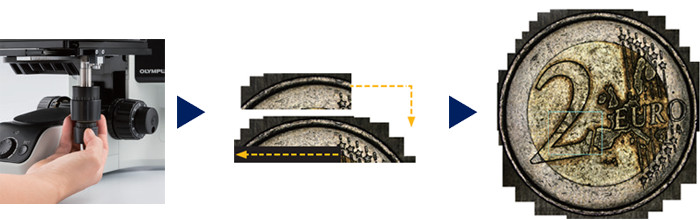
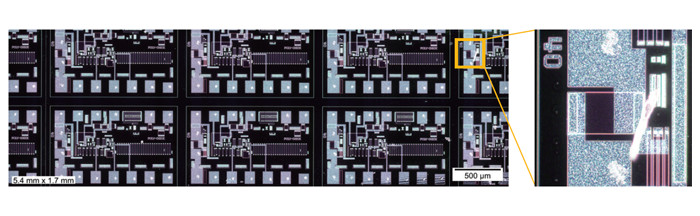
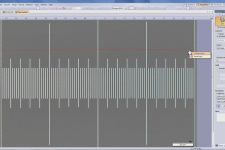
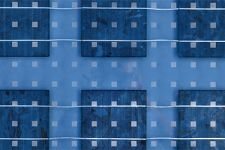
OLYMPUS Stream software provides MIA to enable the creation of panoramic images of samples that extend beyond the field of view. The simple step-by-step process allows you to quickly combine the images. The OLYMPUS Stream software then quickly stitches them together, providing you with an output ready for simple visualization or complex measurement.
![]() Multiple image acquisition of Platinum wires cross sections |
![]() |
For precise sample focusing and speedy image acquisition, OLYMPUS Stream offers two autofocus options. For surfaces with high contrast, OLYMPUS Stream can also use its contrast-based software autofocus. For surfaces with low contrast, such as polished or transparent materials, the laser autofocus unit is a fast, repeatable option when integrated with the Olympus BXiS microscope system. Both systems provide perfectly focused images with the simple click of a button.
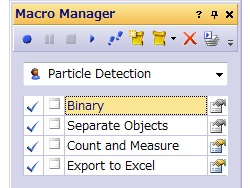
OLYMPUS Stream provides a way to preset complex imaging and measuring tasks with the Macro Recorder. The Macro Recorder creates step-by-step processes, which, after completion, are stored and then implemented with a single click. This capability provides all operators with the same settings and consistent output.
![]() Multiple Image acquisition Pt wires cross sections |
When creating large, high-resolution automated MIA (montage overview) images, the combination of OLYMPUS Stream with a motorized stage easily provides a fast result. The operator selects MIA scanning by using the stage navigator tool, which steps the operator though the entire process. When using the automatic EFI function with a motorized focus unit, the software recommends the optimum number of images required to provide perfectly focused images that are outside the depth of field. |
OLYMPUS Stream can predict a sample's tilt by taking three or more points on the coordinate data when performing automated MIA using motorized systems. This shortens the time and increases the repeatability for stage height adjustment when acquiring images.
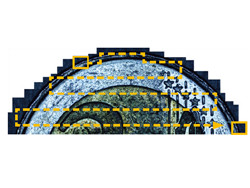
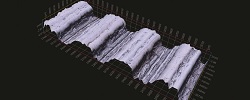
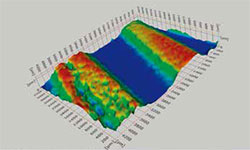
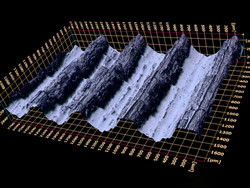
By using the a motorized focus unit, images with different focus positions can be recorded automatically. In addition, calibrated z-profile measurements using z-stack data and 3D image creation using the 3D-EFI function are made possible. The three-dimensional view of the sample becomes crystal clear with a few mouse clicks.
![]() Coin detail |
![]() 3D profilometry of wear track |
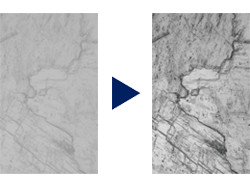
OLYMPUS Stream has a variety of filters for edge detection, smoothing, and other purposes. You can visualize image features by enhancing and modifying with a processing filter on the acquired image. For best results, you can check or adjust the filter results in a preview display. Additionally, image manipulations such as sum, subtraction and erosion are also easily carried out without losing your valuable original image.
![]() Filter (Enhancement of contrast by DCE filter) |
![]() Arithmetics |
![]() Measurement Operation |
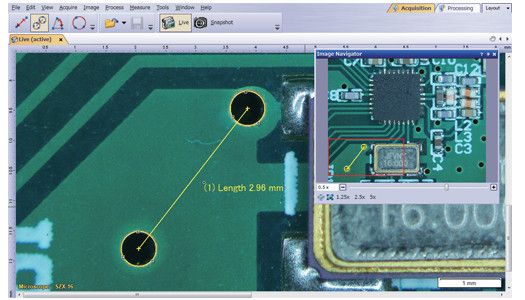
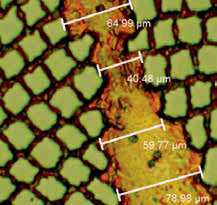
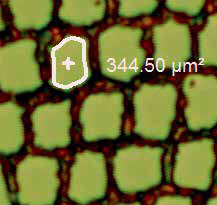
Optical inspection and quality control require frequent measurements. OLYMPUS Stream provides interactive measurement functions such as distances, angles, rectangles, circles, ellipses and polygons. The measurements are made with your mouse and show immediate feedback indicated on the image or in the live data table. All results are saved with the image files as records. To further improve on accuracy, optical data such as system magnification are automatically available when combined with the Olympus Microscope system. |
Included with the OLYMPUS Stream Basic package and other more advanced packages is an integrated data analysis package. The data analysis provides statistical analysis on your data based on your needs. You can calculate mean standard deviation, min, max, and more. All of the data gathered is exported to Microsoft Excel with a single click.
OLYMPUS Stream Essentials and other more-advanced packages include a wand for automatically detecting the edges of the sample you wish to measure. The Magic Wand allows you to select the measurement points-free hand for simple or multiple lines, plus free hand polygon measurements for irregularly shaped objects.
Each image as it is captured and annotated is broken into layers (original image, measurement data, annotations etc.), allowing you to change processing files (smoothing and/or sharpening) without affecting your measurement results. You can easily retain your measuring data as you carry out your analysis and measurements.
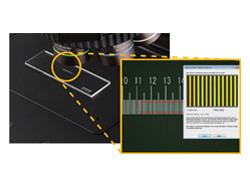
For quality control and traceability recording the conditions of image acquisition is essential. With OLYMPUS Stream, you can quickly create a calibration report for important information like magnification, objective lens type, pixel size, scale bar, etc. The Info Stamp created from updated calibration information can be used for overlaying on the acquired image and reports.
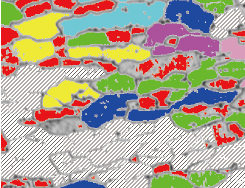
OLYMPUS Stream Essentials and other more-advanced packages offer a very flexible and powerful phase analysis tool with ROI selection. It speeds and simplifies the extraction of phase fraction data of more than one compound in the same image.
![]() Original Image |
![]() Phase Detection |
![]() Object Detection and Classification |
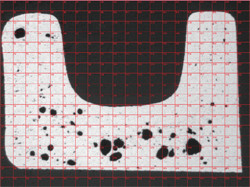
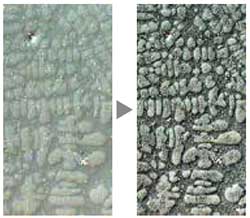
Object detection and size distribution measurement are among the most important applications in digital imaging. OLYMPUS Stream incorporates a detection engine that utilizes threshold methods to reliably separate objects (e.g. particles, scratches) from the background. OLYMPUS Stream offers more than 50 different parameters for shape, size, position, and pixel properties (intensity, gray value) for object classification. |
With the click of an icon on the Materials Solution tool window, you can execute the most complex image analysis task quickly, precisely, and in compliance with most common international standards.

Example: Grains Planimetric
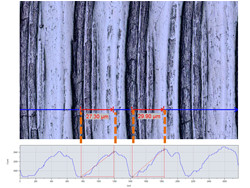
One or more layers of cross-sectioned samples can be measured. With the OLYMPUS Stream software technology, the shapes are defined and the layers automatically measured. This module is used for a wide variety of applications, such as evaluating paint-coating thickness and layer thickness evaluation of multilayer materials such as composite plastics.
![]() Carbon Fiber Fabric |
![]() |
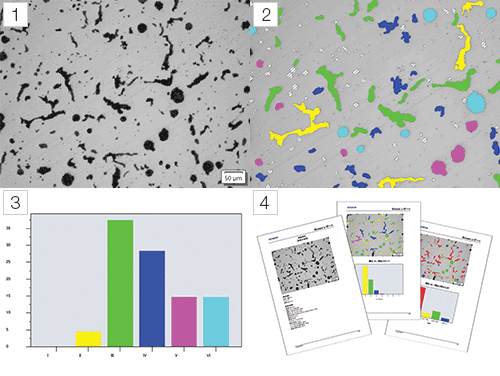
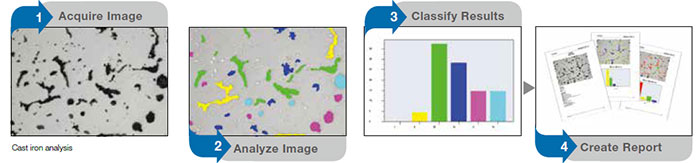
This module is for casting manufacturers who need to measure and control the graphite nodularity to check the mechanical characteristics of their cast products. With OLYMPUS Stream, this nodularity can be calculated by graphite size, shape, and distribution. The results are automatically created according to international standards (JIS G5502, ASTM E247, and ISO945).
![]() Polished Cast Iron |
![]() |
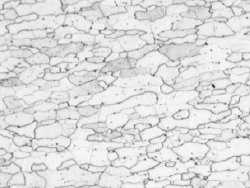
This module is for steel manufacturers measuring and controlling grain size after cross-sectioning, polishing or etching steel samples. OLYMPUS Stream can calculate the grain size number G by the intercept method automatically with no time consuming manual actions. The results are created according to international standards (JS G0552, ASTM E112, and DIN50601).
![]() Intercept Method |
![]() |
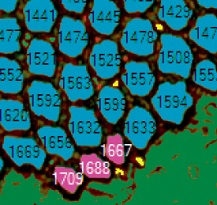
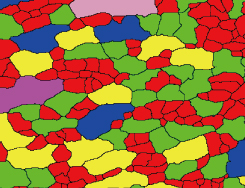
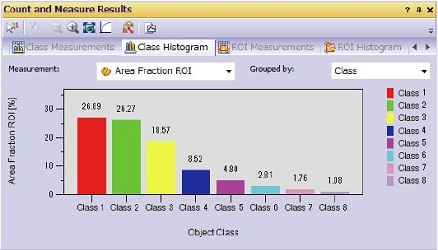
This module is for steel manufacturers measuring and controlling grain size after cross-sectioning, polishing or etching steel samples. OLYMPUS Stream can automatically calculate the grain size number G by the planimetric method. The results are created according to international standards (JIS G0552, ASTM E112, and DIN50601).
![]() Planimetric Method |
![]() |
This module is for steel manufacturers measuring and controlling the shape and size of non-metallic inclusions (oxide, alumina, sulphide, or silicate) in steel. OLYMPUS Stream can evaluate non-metallic inclusion with the results created automatically according to international standards (ASTM E45 Method A and DIN 50602 Method M).
![]() Non-Metallic Inclusion in Steel |
![]() |
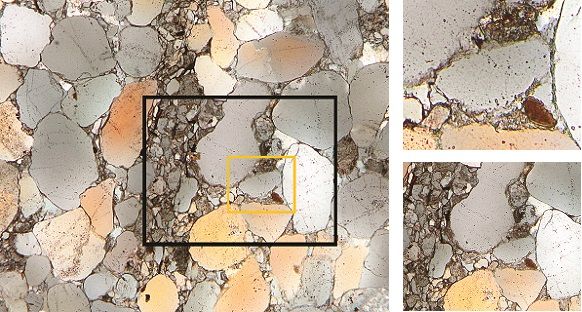
A live or still image can be compared with standard charts. Overlay comparisons can be made, and function preview is available. This module can be used for ASTM grain size number evaluation, non-metallic inclusion rating, and cast-iron shape class evaluation.
![]() Steel microstructure with superimposed reference image as overlay for live evaluation (ISO 643:83) |
|
![]() |
The DP73 is a 17.3 megapixel cooled digital color camera for microscopes with pixel-shift echnology to attain ultra high resolution, high sensitivity and wide dynamic extended range function to produce contrast balanced images. |
The DP26 is a 5 megapixel digital camera for microscopy with high-fidelity color reproduction and progressive scanning free from color shift, providing live images with superb quality, seamlessly integrated into the OLYMPUS Stream analysis software
This 2M-pixel color CCD camera can be controlled from a space-saving, intuitively operated hand switch that incorporates the 12 most frequently used measurement functions for efficient inspection of industrial parts.
> Click here for the Olympus' lineup of digital cameras.
> Click here for the comparison sheet of Olympus' digital cameras.
When you need to efficiently browse through thousands of images and other files created in the past, OLYMPUS Stream can streamline your workflow from image capture through data management.
The software incorporates a client-server database based on Microsoft SQL Server Express. It allows you to assign user-definable fields (creation date, project ID, parts number, deadline, and metadata) into image and other files and folders, permitting efficient data sharing and quick searches.
You're based in the USA but collecting data in Europe and Japan. To be compliant with modern IT environments, OLYMPUS Stream Enterprise interfaces with Microsoft SQL or Oracle and enables efficient multisite data management via intranet or Internet.
OLYMPUS Stream's Document Storage Option is an optional database for single systems that provides a simple structure that can safely store and organize your images. This easy to use database makes finding, sorting and filtering your images quick and simple. Document storage function is option software for OLYMPUS Stream Essentials
The OLYMPUS Stream NETCAM option lets any authorized network user connect to your OLYMPUS Stream PC and visualize the same image in real time with a web browser. What's more, the DP21 also provides self-contained integration into your local network, allowing you to share your work across your office or around the world.
Stay up to date with OLYMPUS Stream. The report tool can use the new version of the very popular Microsoft Office suite. OLYMPUS Stream is there and is designed for the future.
The 64-bit edition of Microsoft Windows 7 is the new reference in operating systems. OLYMPUS Stream fully utilizes all of the advanced capabilities of 64-bit computing for your everyday tasks. You can smoothly execute advanced image processing tasks (like counting more than 2 million objects simultaneously) that were impossible before.
| Start | Basic | Essentials | Motion | Enterprise | ||
| Basic image acquisition | ||||||
| Live image acquisition | Captures live image in various format | ■ | ■ | ■ | ■ | ■ |
| Live pan and zoom | Zoom into live image using mouse wheel, displays crosshair in overlay | ■ | ■ | ■ | ■ | ■ |
| Basic image tools | ||||||
| Image tools | Image history, properties, navigator and Gallery view tool windows | ■ | ■ | ■ | ■ | ■ |
| Image processing and filters | Enables contrast adjustment, edge detection, smoothing and sharpening of images and shading correction | ■ | ■ | ■ | ■ | ■ |
| Static annotations | Draws text, arrows, lines, rectangles and ellipses on the image | ■ | ■ | ■ | ■ | ■ |
| File Format | All major file formats are supported write and read. Open Olympus proprietary formats. | ■ | ■ | ■ | ■ | ■ |
| Interactive measurements | ||||||
| Field of view measurement | Measures distances, angles, rectangles, circles, ellipses and polygons | ■ | ■ | ■ | ■ | ■ |
| Advanced measurement | Interpolated polygon, Magic wand | - | - | ■ | ■ | ■ |
| Olympus device control | ||||||
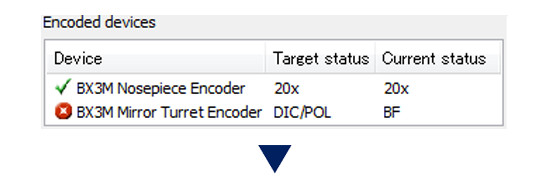
| Olympus microscope control | Controls motorised and coded Olympus microscope systems BX2, GX, SZX, SZX2 and MX, reads out Prior SZX-ZE | ■ | ■ | ■ | ■ | ■ |
| Olympus cameras | Controls Olympus cameras1 and old compatible models2 (RoHS and non-RoHS) | ■ | ■ | ■ | ■ | ■ |
| Extended image acquisition | ||||||
| HDR | High Dynamic Range. Create a composite image perfectly exposed with all supported digital cameras | ■ | ■ | ■ | ■ | ■ |
| Movie | Create movie files (*.avi format) | - | ■ | ■ | ■ | ■ |
| Software autofocus | Perform contrast-based sorftware autofocus3 | - | ■ | ■ | ■ | ■ |
| Reporting | ||||||
| Data export and statistics | Exports measurement data to Microsoft Excel and OLYMPUS Stream workbook, including statistical analysis of measurements | - | ■ | ■ | ■ | ■ |
| Report composer | Creates Microsoft Word documents, directly from OLYMPUS Stream (requires Microsoft Word 2003, 2007 or 2010) | - | ■ | ■ | ■ | ■ |
| Detailed zoom | Creates an interactive digital zoom on Stream acquired image directly from Microsoft Word | - | ■ | ■ | ■ | ■ |
| Basic customization | ||||||
| My Functions | Creates a workflow and large button bar for frequently used commands | - | ■ | ■ | ■ | ■ |
| Extended device control | ||||||
| Non-Olympus cameras | Controls non-Olympus cameras4 | - | ■ | ■ | ■ | ■ |
| Imaging source converter | Controls DFG-1394 A-D (CON 800) converter (FireWire and USB 2.0) | - | ■ | ■ | ■ | ■ |
| Advanced customization | ||||||
| Layout management | Allows recording and editing of layouts | - | ■ | ■ | ■ | ■ |
| Macro recorder | Allows recording and editing of macros | - | - | ■ | ■ | ■ |
| Advanced acquisition process | ||||||
| Instant EFI | Instantly creates an EFI image while focusing | - | - | ■ | ■ | ■ |
| Manual MIA | Creates panoramic images over areas (requires manual XY stage) | - | - | ■ | ■ | ■ |
| Time lapse | Captures still images over time frequency | - | - | ■ | ■ | ■ |
| Extended image tools | ||||||
| Image arithmetic | Performs arithmetic and logical operations with image | - | - | ■ | ■ | ■ |
| Basic image analysis | ||||||
| Phase analysis | Perform threshold-based phase segmentation on full images and ROIs5, calculates area, area fraction and objects count | - | - | ■ | ■ | ■ |
| Advanced automated acquisition process | ||||||
| Automated EFI | Automatically creates an EFI image via a predefined number of frames, step size and top/bottom range (requires motorised stage) | - | - | - | ■ | ■ |
| Automated MIA | Creates panoramic images over areas (requires motorised stage) | - | - | - | ■ | ■ |
| Stage navigator | Position list and stage navigator to capture images at several stage positions or over stage areas | - | - | - | ■ | ■ |
| Stage control | ||||||
| 3rd party stage controls | Controls XYZ stage controllers from Objective Imaging, Prior ProScan, Ludl MAC, Marzhauser, ITK and LANG | - | - | - | ■ | ■ |
| Advanced image tools | ||||||
| Intensity calibration | Performs intensity calibration of channels | - | - | - | ■ | ■ |
| Z-stacks projection | Calculates projections over Z-Stacks | - | - | - | ■ | ■ |
| Document Storage | ||||||
| Simplified Document Storage | Provides simple solution for image and documents management | - | - | Option | - | - |
| Data management | ||||||
| Client-server database | Provides image and data management solution for microscopy (utilises Microsoft SQL Server Express 2005 or 2008) | - | - | - | ■ | ■ |
| User rights management | Provides user rights management for granting access to different records and record types | - | - | - | - | ■ |
| Large Database and LIMS support | Support of Oracle 11g and Microsoft SQL databases and allow the communication with external LIMS | - | - | - | - | ■ |
| Start | Basic | Essentials | Motion | |||
| Basic image acquisition | ||||||
| Live image acquisition | Captures live image in various format | ■ | ■ | ■ | ■ | |
| Live pan and zoom | Zoom into live image using mouse wheel, displays crosshair in overlay | ■ | ■ | ■ | ■ | |
| Basic image tools | ||||||
| Image tools | Image history, properties, navigator and Gallery view tool windows | ■ | ■ | ■ | ■ | |
| Image processing and filters | Enables contrast adjustment, edge detection, smoothing and sharpening of images and shading correction | ■ | ■ | ■ | ■ | |
| Static annotations | Draws text, arrows, lines, rectangles and ellipses on the image | ■ | ■ | ■ | ■ | |
| File Format | All major file formats are supported write and read. Open Olympus proprietary formats. | ■ | ■ | ■ | ■ | |
| Interactive measurements | ||||||
| Field of view measurement | Measures distances, angles, rectangles, circles, ellipses and polygons | ■ | ■ | ■ | ■ | |
| Advanced measurement | Interpolated polygon, Magic wand | - | - | ■ | ■ | |
| Olympus device control | ||||||
| Olympus microscope control | Controls motorised and coded Olympus microscope systems BX2, GX, SZX, SZX2 and MX, reads out Prior SZX-ZE | ■ | ■ | ■ | ■ | |
| Olympus cameras | Controls Olympus cameras1 and old compatible models2 (RoHS and non-RoHS) | ■ | ■ | ■ | ■ | |
| Extended image acquisition | ||||||
| HDR | High Dynamic Range. Create a composite image perfectly exposed with all supported digital cameras | ■ | ■ | ■ | ■ | |
| Movie | Create movie files (*.avi format) | - | ■ | ■ | ■ | |
| Software autofocus | Perform contrast-based sorftware autofocus3 | - | ■ | ■ | ■ | |
| Reporting | ||||||
| Data export and statistics | Exports measurement data to Microsoft Excel and OLYMPUS Stream workbook, including statistical analysis of measurements | - | ■ | ■ | ■ | |
| Report composer | Creates Microsoft Word documents, directly from OLYMPUS Stream (requires Microsoft Word 2003, 2007 or 2010) | - | ■ | ■ | ■ | |
| Detailed zoom | Creates an interactive digital zoom on Stream acquired image directly from Microsoft Word | - | ■ | ■ | ■ | |
| Basic customization | ||||||
| My Functions | Creates a workflow and large button bar for frequently used commands | - | ■ | ■ | ■ | |
| Extended device control | ||||||
| Non-Olympus cameras | Controls non-Olympus cameras4 | - | ■ | ■ | ■ | |
| Imaging source converter | Controls DFG-1394 A-D (CON 800) converter (FireWire and USB 2.0) | - | ■ | ■ | ■ | |
| Advanced customization | ||||||
| Layout management | Allows recording and editing of layouts | - | ■ | ■ | ■ | |
| Macro recorder | Allows recording and editing of macros | - | - | ■ | ■ | |
| Advanced acquisition process | ||||||
| Instant EFI | Instantly creates an EFI image while focusing | - | - | ■ | ■ | |
| Manual MIA | Creates panoramic images over areas (requires manual XY stage) | - | - | ■ | ■ | |
| Time lapse | Captures still images over time frequency | - | - | ■ | ■ | |
| Extended image tools | ||||||
| Image arithmetic | Performs arithmetic and logical operations with image | - | - | ■ | ■ | |
| Basic image analysis | ||||||
| Phase analysis | Perform threshold-based phase segmentation on full images and ROIs5, calculates area, area fraction and objects count | - | - | ■ | ■ | |
| Advanced automated acquisition process | ||||||
| Automated EFI | Automatically creates an EFI image via a predefined number of frames, step size and top/bottom range (requires motorised stage) | - | - | - | ■ | |
| Automated MIA | Creates panoramic images over areas (requires motorised stage) | - | - | - | ■ | |
| Stage navigator | Position list and stage navigator to capture images at several stage positions or over stage areas | - | - | - | ■ | |
| Stage control | ||||||
| 3rd party stage controls | Controls XYZ stage controllers from Objective Imaging, Prior ProScan, Ludl MAC, Marzhauser, ITK and LANG | - | - | - | ■ | |
| Advanced image tools | ||||||
| Intensity calibration | Performs intensity calibration of channels | - | - | - | ■ | |
| Z-stacks projection | Calculates projections over Z-Stacks | - | - | - | ■ | |
| Document Storage | ||||||
| Simplified Document Storage | Provides simple solution for image and documents management | - | - | Option | - | |
| Data management | ||||||
| Client-server database | Provides image and data management solution for microscopy (utilises Microsoft SQL Server Express 2005 or 2008) | - | - | - | ■ | |
| User rights management | Provides user rights management for granting access to different records and record types | - | - | - | - | |
| Large Database and LIMS support | Support of Oracle 11g and Microsoft SQL databases and allow the communication with external LIMS | - | - | - | - | |
| Start | Basic | Essentials | Motion | |||
| Basic image acquisition | ||||||
| Live image acquisition | Captures live image in various format | ■ | ■ | ■ | ■ | |
| Live pan and zoom | Zoom into live image using mouse wheel, displays crosshair in overlay | ■ | ■ | ■ | ■ | |
| Basic image tools | ||||||
| Image tools | Image history, properties, navigator and Gallery view tool windows | ■ | ■ | ■ | ■ | |
| Image processing and filters | Enables contrast adjustment, edge detection, smoothing and sharpening of images and shading correction | ■ | ■ | ■ | ■ | |
| Static annotations | Draws text, arrows, lines, rectangles and ellipses on the image | ■ | ■ | ■ | ■ | |
| File Format | All major file formats are supported write and read. Open Olympus proprietary formats. | ■ | ■ | ■ | ■ | |
| Interactive measurements | ||||||
| Field of view measurement | Measures distances, angles, rectangles, circles, ellipses and polygons | ■ | ■ | ■ | ■ | |
| Advanced measurement | Interpolated polygon, Magic wand | - | - | ■ | ■ | |
| Olympus device control | ||||||
| Olympus microscope control | Controls motorised and coded Olympus microscope systems BX2, GX, SZX, SZX2 and MX, reads out Prior SZX-ZE | ■ | ■ | ■ | ■ | |
| Olympus cameras | Controls Olympus cameras1 and old compatible models2 (RoHS and non-RoHS) | ■ | ■ | ■ | ■ | |
| Extended image acquisition | ||||||
| HDR | High Dynamic Range. Create a composite image perfectly exposed with all supported digital cameras | ■ | ■ | ■ | ■ | |
| Movie | Create movie files (*.avi format) | - | ■ | ■ | ■ | |
| Software autofocus | Perform contrast-based sorftware autofocus3 | - | ■ | ■ | ■ | |
| Reporting | ||||||
| Data export and statistics | Exports measurement data to Microsoft Excel and OLYMPUS Stream workbook, including statistical analysis of measurements | - | ■ | ■ | ■ | |
| Report composer | Creates Microsoft Word documents, directly from OLYMPUS Stream (requires Microsoft Word 2003, 2007 or 2010) | - | ■ | ■ | ■ | |
| Detailed zoom | Creates an interactive digital zoom on Stream acquired image directly from Microsoft Word | - | ■ | ■ | ■ | |
| Basic customization | ||||||
| My Functions | Creates a workflow and large button bar for frequently used commands | - | ■ | ■ | ■ | |
| Extended device control | ||||||
| Non-Olympus cameras | Controls non-Olympus cameras4 | - | ■ | ■ | ■ | |
| Imaging source converter | Controls DFG-1394 A-D (CON 800) converter (FireWire and USB 2.0) | - | ■ | ■ | ■ | |
| Advanced customization | ||||||
| Layout management | Allows recording and editing of layouts | - | ■ | ■ | ■ | |
| Macro recorder | Allows recording and editing of macros | - | - | ■ | ■ | |
| Advanced acquisition process | ||||||
| Instant EFI | Instantly creates an EFI image while focusing | - | option | ■ | ■ | |
| Manual MIA | Creates panoramic images over areas (requires manual XY stage) | - | option | ■ | ■ | |
| Time lapse | Captures still images over time frequency | - | - | ■ | ■ | |
| Extended image tools | ||||||
| Image arithmetic | Performs arithmetic and logical operations with image | - | - | ■ | ■ | |
| Basic image analysis | ||||||
| Phase analysis | Perform threshold-based phase segmentation on full images and ROIs5, calculates area, area fraction and objects count | - | - | ■ | ■ | |
| Advanced automated acquisition process | ||||||
| Automated EFI | Automatically creates an EFI image via a predefined number of frames, step size and top/bottom range (requires motorised stage) | - | - | - | ■ | |
| Automated MIA | Creates panoramic images over areas (requires motorised stage) | - | - | - | ■ | |
| Stage navigator | Position list and stage navigator to capture images at several stage positions or over stage areas | - | - | - | ■ | |
| Stage control | ||||||
| 3rd party stage controls | Controls XYZ stage controllers from Objective Imaging, Prior ProScan, Ludl MAC, Marzhauser, ITK and LANG | - | - | - | ■ | |
| Advanced image tools | ||||||
| Intensity calibration | Performs intensity calibration of channels | - | - | - | ■ | |
| Z-stacks projection | Calculates projections over Z-Stacks | - | - | - | ■ | |
| Document Storage | ||||||
| Simplified Document Storage | Provides simple solution for image and documents management | - | - | Option | - | |
| Data management | ||||||
| Client-server database | Provides image and data management solution for microscopy (utilises Microsoft SQL Server Express 2005 or 2008) | - | - | - | ■ | |
| User rights management | Provides user rights management for granting access to different records and record types | - | - | - | - | |
| Large Database and LIMS support | Support of Oracle 11g and Microsoft SQL databases and allow the communication with external LIMS | - | - | - | - | |
1 Altra 20, DP20, DP21, DP25, DP26, DP70, DP71, DP72, DP73, SC20, SC30, SC100, XC10, XM10, XM10IR, UC30, UC50, XC30, XC50
2 CC12, CVI, CVII, CVIII, CVIIIu, F-View II
3 requires Olympus microscope with motorized Z-axis or external motorised Z-axis (supported in OLYMPUS Stream Motion)
4 Qimaging cameras: MicroPublisher 3.3 RTV, MicroPublisher 5 RTV; Jenoptik cameras: ProgRes C3, ProgRes CT3, ProgRes C5
5 Rectangle, circle, polygons and magic wand.
1 Altra 20, DP20, DP21, DP25, DP26, DP70, DP71, DP72, DP73, SC20, SC30, SC100, XC10
2 CC12, CVI, CVII, CVIII, CVIIIu, F-View II
3 requires Olympus microscope with motorized Z-axis or external motorised Z-axis (supported in OLYMPUS Stream Motion)
4 Qimaging cameras: MicroPublisher 3.3 RTV, MicroPublisher 5 RTV; Jenoptik cameras: ProgRes C3, ProgRes CT3, ProgRes C5
5 Rectangle, circle, polygons and magic wand.
| Layer thickness measurement | |
| Description | Measures the thickness of single or multiple layers (cross section view) |
| Supported standards | n/a |
| Measurement types |
Layer boundaries can be specified using automatic detection, magic wand or manual mode.
Individual measurements can be added or deleted later on. |
|
Measurement of any type of layers (with even or uneven boundaries) is supported.
Layer thickness measurement calculates mean, maximum and minimum values as well as statistical data for each individual layer. | |
| Output | Spreadsheet with individual measurements. Report automatically created in Microsoft Word. |
| Grain sizing intercept | |
| Description | Measures the mean grain index using the intercept method |
| Supported standards | ASTM E112, GB/T 6394, GOST 5639, ISO 643, DIN 50601, JIS G0551, JIS G0552 |
| Measurement types |
Selection of pattern (Circles, Cross, Cross & Circles, Vertical Lines, Horizontal Lines, Horizontal & Vertical Lines).
Definition of the number of test lines for determination of grain elongation. |
|
Display the g-value in the Material Solution Tool Window.
Stores all results in the image property for additional data mining. | |
| Output | Spreadsheet with individual measurements. Report automatically created in Microsoft Word. |
| Grain sizing planimetric | |
| Description | Measures the distribution of grain index using the planimetric method |
| Supported standards | ASTM E112, GB/T 6394, GOST 5639, ISO 643, DIN 50601, JIS G0551, JIS G0552 |
| Measurement types |
Automatic extraction of grain boundaries.
User interaction using Stream sliders for improved usability. |
|
Display the g-value histogram in the Material Solution Tool Window for direct interaction
Stores all results in the image property for additional data mining. | |
| Output | Spreadsheet with individual bins measurements, Stream chart with the distribution. Report automatically created in Microsoft Word. |
| Chart Comparison | |
| Description | Allows the user to compare live or selected images with standard charts |
| Supported standards (Option) |
ISO 643:83 & ISO 643:03, DIN 50602, ISO 945, SEP 1520, SEP 1572 and EN 10247/07 (sold under license from copyright owners)
ISO 643:83 & ISO 643:03, DIN 50602, ISO 945, EN 10247/07 (sold under license from copyright owners)
|
| Measurement types |
Multiple displays available, including live overlay.
User interaction using Stream sliders for improved usability. |
|
Calculates statistics on the selected values.
Stores all results in the image property for additional data mining. | |
| Output | Spreadsheet with individual measurements. |
| Non Metallic Inclusion rating in Steel | |
| Description | Measures the non metallic inclusion rating in steel using the worst field method |
| Supported standards | ASTM E45 Method A, DIN 50602 Method M, ISO 4967 Method A, GB/T 10561 Method A, JIS G0555 Method A, UNI 3244 Method M |
| Measurement types |
Automatic detection of non metallic inclusion using colors, shape and size.
Automatic classification of oxydes, sulfides, silicates and aluminates |
|
Live display of the detected inclusion with its rating.
Stores all results in the image property for additional data mining. | |
| Output | Spreadsheet with individual measurements. Report automatically created in Microsoft Word. |
| Cast Iron Analysis | |
| Description | Measures the distribution, shape and size of graphite content in cast iron samples |
| Supported standards | EN ISO 945-1, ASTM A247, JIS G5502, KS D 4302, GB/T 9441 |
| Measurement types |
On polished samples: Automatic measures the characteristics of the graphite content (Size, Shape and Distribution)
On etched samples: Measures the ferrite to pearlite ratio |
|
Integrated workflow which take into account the sample status (etched or polished)
Stores all results in the image property for additional data mining. | |
| Output | Spreadsheet with individual measurements. Report automatically created in Microsoft Word. |
| Particle Detection | |
| Description | Automatically Count & Measure of objects and particles |
| Supported standards | n/a |
| Measurement types | Multiple threshold methods are available (automatic, manual HSV, manual and adaptative). |
| The system can automatically measure multiple parameters on all segmentd objects (Area, Aspect Ratio, Bisector, Bounding box, Gravity Center, ID, Mass Center, Intensities Values, Convexity, Diameters, Elongation, Feret, Extent, Next Neighbor Distance, Orientation, Perimeter, Radius, Shape, Sphericity ...). | |
| Output | Spreadsheet and charts with individual and distribution measurements. |
| 3D Surface View | |
| Description | Displays a 3D perspective of an image stack acquired with a motorised Z. (available with Stream Motion) |
| Display |
Creates a new image with a 3D perspective.
Easy navigation and rendering with the mouse |
| Measurement of height profiles on the 2D projection | |
| Output | The result image can be exported. Animation can also be created automatically. |
| Netcam | |
| Description | Live transmission of images over the network |
| Display | Remote Live view of the image using Microsoft Internet Explorer |
| Output | Several users can share the same image at the same time. |
If you are able to access the Internet from your OLYMPUS Stream software, you can activate the software directly from the software itself (for details, see the Installation Manual). If you are unable to access the Internet from your OLYMPUS Stream software, however, you can activate OLYMPUS Stream using an activation key, which can be obtained from another computer on which you are able to access the Internet. You do not need to activate the software if you have the version prior to OLYMPUS
Stream V1.7.
* You can confirm the version number by clicking 【Help>About 】.
1-1.When OLYMPUS Stream starts, the [Activate Product] window appears. If you have not obtained the activation key yet, click the [Next] button. If you have already obtained the activation key, enter the activation key and click the [Activate] button. (Go to Step 1-8.)

1-2. Tick [Visit web page to receive key] and click the [Next] button.

1-3. When the activation request key appears, make a note of it. Do not close the screen but leave it as is.

1-4. Access the following URL from your browser
> OLYMPUS Stream Ver.1.7 Activation
1-5. Enter the activation request key obtained in Step 1-3 above in the field of Activation request key and click the [next].

1-6. When the activation key appears, make a note of it.

1-7. Enter the activation key in the [Activate Product] window of PC where OLYMPUS Stream is installed, and click [Activate].

1-8. When the screen shown on the left side appears, click the [Close] button. This completes the activation.

Copyright 2011 OLYMPUS CORPORATION, Tous droits réservés. Modalités d'utilisation | Déclaration de confidentialité